Yealink phones don't come back after internet outage

Status
Not open for further replies.

Peter Richardson

Customer
Basic Certified
Joined
Apr 6, 2017
Messages
286
Reaction score
16
Hi all,

Have been using 3CX and Yealink phones for about 3-4 years now. I've found a strange thing where if the internet goes down, sometimes the phones don't come back up and require a manual reboot, which involves logging into every 3CX cloud hosted box, checking which clients have phones that are down, calling them and stepping them through the process of unplugging and replugging every phone or the appropriate PoE switch. Strangely, it doesn't happen to every yealink phone (we use T41S, T21P E2, T48S and W60 accross all sites). I remember having found something in the web interface before about the maximum times it tries to connect to the SIP server before giving up forever, so I had a look in the template and it might be this line:

Code:
account.1.sip_server.1.retry_counts = 3

  1. is this line in the template the culprit?
  2. if so, why didn't all phones drop out?
  3. why would there be a max limit on how many times the phone tries to connect? Because if it's retrying once every minute or two, that would mean an internet outage of 5-10 minutes would be enough to bring them all down indefinitely...until the IT guy (me) gets time to contact every client
  4. could it be something more sinister that I'm missing here?

Any help, ideas, suggestions are much appreciated! Thanks guys!!
 
As far as I know only the W60 base has problems reconnecting after an internet outage.
 
Thanks @cobaltit

Are you aware of any solutions to this?

Today's outage included 4 x T48S at one site and 1 x W52/W56 base at another site.
 
I did a test on this on a couple of Yealink devices and saw that the phones try to register to the PBX for 32 seconds then stop for another 32 seconds and then try to register again. I run the test for about 20 minutes and the phones did not stop registering. The phones did not get any response from the server during this time. With that in mind i would recommend running a capture on the phone next time this happens to see the behaviour of the set. That should tell you why the phone does not re-register to the server after an outage.
 
Thanks very much @YiannisH_3CX this is very helpful. Which model phones did you test this on, and what firmware were they running?
 
I experienced this problem recently on 3x Yealink T40Gs. The internet was down for about 30 minutes, meaning the s2s VPN to Azure where 3CX is hosted was also down. The 3 phones ended up in a not registered state and all had to be rebooted.
 
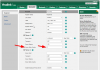
this is from the Yealink web GUI using the default 3CX template for a provisioned T41S. Why only 3 retries?

9584
 
Yes my T40Gs have the same retry setting. I did wonder if it was the source of the problem, but haven't experimented with it yet.
 
Thanks very much @YiannisH_3CX this is very helpful. Which model phones did you test this on, and what firmware were they running?
I tested on a Yealink T40g and a T48 both running the latest supported firmware. My phones also have the same value under the Server Retry counts but that did not affect the re-registration attempt of the phones.
 
@Mark Phillips Can you detail the setup you are using that has this issue? Phone models, DNS servers, etc. I want to try and recreate this as I don't have this problem either with 3CX or on our hosted platform.
 
Sure:

V15.5 3CX hosted on a Debian 9 Linux VM in Azure
Site-to-site VPN (using Azure VPN Gateway)
On-site router is a DrayTek 2925 running current firmware
Internet link is a 100Mbps fibre ethernet service
DNS servers are running on domain controllers, which are also Azure VMs.
There is an on-prem server also running DNS.
3x SIP-T40Gs (with current firmware)

Scenario which caused phones to fail to register:
Internet WAN router and LAN router were taken down for 30 minutes for some work in cabinet.
The phones remained powered up and connected to their local switch (which also remained powered up).
The internet routing came back up, but if I remember correctly it took a while longer for the site to site VPN to be re-stablished (there's a bug with the DrayTek firmware which sometimes causes BGP routing to get mixed up - I had to reboot the DrayTek a second time to clear the BGP entries and to get the Azure site to site VPN up).

A couple of hours later the 3x T40Gs still had not re-registered.

Now I appreciate that there was probably a 20-30 minute window where the routing for the site to site VPN was incorrect. I would have assumed though that once the routing resolved, the phones would have been able to successfully contact the 3CX server via its LAN IP?
 
@Mark Phillips Are the Yealinks using DHCP? If so, assign them Static IP's or Bind the Mac Addresses on the Draytek.
 
My setup:

V15.5 SP6 Debian 9
Site to site VPN, both ends using same router (pfSense), using Open VPN
both sites on 100mb fibre
Yealink T48s x 3, Yealink T41S x 1
phones have static IPs, VLAN10, priority 7
all phones on latest supported firmware as I only just did maintenance on the whole system a week ago.

situation: router / internet / something went down overnight (not sure which site to be exact) for about an hour I believe, and I found out about it by an angry call from the client. I asked them to reboot their data rack and SHAZAAM they're back online in 98 seconds flat.
 
@Mark Phillips Are the Yealinks using DHCP? If so, assign them Static IP's or Bind the Mac Addresses on the Draytek.
They are using DHCP, assigned from the LAN Draytek router. At the time of the problem, the T40Gs definitely had valid DHCP-assigned IP addresses, albeit the addresses were different to prior the network outage. Should that matter? There was no sign of any blacklisting of IPs in the 3CX log (in anycase the whole /24 subnet is whitelisted).

I have a couple more T40Gs being delivered tomorrow, so I'll do some A/B testing - DHCP-assigned vs. static/bind.
 
Hmm so I don't think I have any VPN setups at the moment so I'm wondering if that is the common factor although I don't see how that should affect things.

@Mark Phillips

You mention running a couple DNS servers in Azure as well as a local. Can you tell me the order and how they are assigned to phone?
 
The DHCP offers two DNS servers - the primary is the on-prem box and the secondary is the first of the two Azure VMs.
 
I can't log into the phones remotely as they're VLANed but from memory they're using the router as first DNS server and 8.8.8.8 as the second DNS server.
 
any other ideas, anyone?
 
Status
Not open for further replies.

Latest Posts

Forum statistics

Threads
112,358
Messages
592,092
Members
165,528
Latest member
florentrobineau