Yealink supported firmware but, in reality, not supported ??

Status
Not open for further replies.

itgs

Customer
Basic Certified
Joined
Nov 8, 2008
Messages
79
Reaction score
1
Hello,

Are you on 3CX v16 or older?
 
has your PBX also downloaded the firmware or you just installed it manual on the phone? As in this case the PBX does not know that this is expected...
 
On V15.5.SP6 the last supported firmware version is 44.83.0.55

On our website we keep the firmware that is supported under the latest PBX version (currently V16 SP2) which would be 44.84.0.35
 
This is my version:
11752

Installed on a WinSrv 2012 R2.
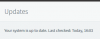
In the "Updates" section, there no evidence of update to install.
11753

Is it normal ?
 
has your PBX also downloaded the firmware or you just installed it manual on the phone? As in this case the PBX does not know that this is expected...

I installed manually (as Always)
 
your 3CX will only know the firmware which should be on the phone when the phone is provisioned. Actually configuring a phone for provisioning instructs the PBX to download the firmware file and from this knows what is expected to run on the device. I think one of the steps was not made - maybe the device is not provisioned even?
 
Hi itgs

The version of your PBX only supports firmware 44.83.0.55 which you can apply using the Phones section (select phone and press +Firmware button) provided that your phone is provisioned via the management console and registered correctly.


Now to upgrade your PBX to V16 on Windows, you will need to:
  1. backup, and save your backup in another folder
  2. uninstall V15
  3. get our new installer
  4. then reinstall by choosing the "restore backup" option
Once you are on V16 the system will download the latest supported firmware in the Updates section. You can then apply that firmware using the Phones section. We recommend to provision the devices using our built-in templates to ensure maximum compatibility with the system.
https://www.3cx.com/sip-phones/yealink-t20p-t22p-t26p-t28p/
 
  • Like
Reactions: itgs
your 3CX will only know the firmware which should be on the phone when the phone is provisioned. Actually configuring a phone for provisioning instructs the PBX to download the firmware file and from this knows what is expected to run on the device. I think one of the steps was not made - maybe the device is not provisioned even?

I update the firmware BEFORE provisioning the phone.
I noticed that in the "C:\ProgramData\3CX\Instance1\Data\Http\Interface\provisioning\xxxxxxxx\firmware_new\yealink" folder, the last firmware available is T23-44.83.0.55.rom.

Could I have some issue with my 3cx installation ?
 
Your pbx is V15.5 SP6 so the latest fw for the phones is 44.83.0.55 , so just click on firmware button from MC to DL it on phones
 
This is actually the correct firmware filename it seems
 
Your pbx is V15.5 SP6 so the latest fw for the phones is 44.83.0.55 , so just click on firmware button from MC to DL it on phones

I'm not able to do this because the certificate I used on 3CX (released by GoDaddy) is not in trusted certificates supported by phone.

I need to change manually the option "Only Accept Trusted Certificates" to "Disabled" and then restart the phone.

But, after the restart, option come back to "Enabled".

Do you know if there is a way to fix that option to "Disabled" ?

Thank you
 
If it's changing back to enabled when you reboot, that sounds like the phone is provisioning then. If it's provisioning, then it should also be able to download the firmware.
 
May be , but if provisionning re enable default phone settings first for "Only Accept Trusted Certificates" then ITGS will be always in same situation, with no other way to manually DL phone FW .

The probably best way should be to change certificate to one supported
 
  • Like
Reactions: itgs
If there is nothing holding you back, you can take advantage of the Let's Encrypt certificates 3CX generates for you automatically when using our provided FQDNs. It will update itself automatically and will work with our supported phones, so one thing less for you to worry about that your PBX can take care of.
 
If there is nothing holding you back, you can take advantage of the Let's Encrypt certificates 3CX generates for you automatically when using our provided FQDNs. It will update itself automatically and will work with our supported phones, so one thing less for you to worry about that your PBX can take care of.
For me could be ok change the fqdn.
Is there any specific procedure to follow ?
Could I have some side effects ?

Maybe I will have to change the Provisioning url in all extensions ?
 
Yes there is a procedure which will require reinstallation.

  1. The way to do it would be to take a backup without a license and FQDN ticked
  2. Then release your current custom FQDN from the Customer portal
  3. After this you would have to reinstall the PBX using your backup and when you enter your key the installer will allow you to choose an FQDN again (since there is not FQDN assigned
  4. Once the installation completes, your phones and clients would have to be reprovisioned based on the new FQDN (which will have Lets Encrypt certificates generated by us)
 
  • Like
Reactions: AWS2P
Are your phones over STUN by the way?
 
Great, so you can then proceed to switch to a 3CX FQDN and this should help with the problems you faced with provisioning. If you have any questions before you proceed, please feel free to ask :)
 
  • Like
Reactions: itgs
Status
Not open for further replies.

Forum statistics

Threads
111,852
Messages
589,389
Members
164,691
Latest member
Daz1964