Yealink T41P

Status
Not open for further replies.

spointcloud

New User
Joined
Oct 11, 2022
Messages
1
Reaction score
0
Hi,

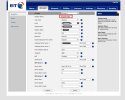
I currently trying to setup a Yealink T41P phone I have used the settings on this page https://www.3cx.com/sip-phones/manually-provision-yealink/ to manually provision the phone but the phone says register failed. I have checked settings several times to no luck.

Can someone help me as I know theses phones are EOL but I need to get this phone setup on 3CX.

Regards

Chris
 
Hi Chris,

The instructions work for phones provided that they exist on the same LAN as the 3CX system.

If the phone is remote, those instructions will not apply.
 

Attachments

  • Screenshot 2022-11-25 142756.jpg
    Screenshot 2022-11-25 142756.jpg
    169.5 KB · Views: 21
  • Untitled.jpg
    Untitled.jpg
    93.9 KB · Views: 19
  • Like
Reactions: nmehr
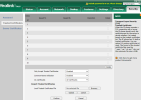
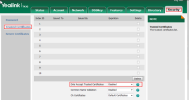
Have you tried turning off the trust official certificates checkbox in the security section?
 
  • Like
Reactions: nmehr
Install the 3CX Supported firmware from here:
https://www.3cx.com/support/phone-firmwares/
Thank you for your reply. I updated the Firmware. Unfortunately, the problem still exists. It would be great if you could help me more.
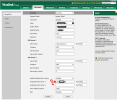
Did I set all things correctly? What else should I do? I'm not sure about the outbound proxy server 1 IP. Where should I find it? Is it the static public IP? voip1-cld.3cx.ca-> setting->network-> public IP????
1669646934159.png
 
Have you tried turning off the trust official certificates checkbox in the security section?
well if you mean this section. I disable it.
1669651010172.png
 
Last edited:
In the Security pane.
1669648483691.png
 
The guide explains where to find it (SBC based install, otherwise if these phones are on the same LAN as the 3CX machine put the 3CX machine LAN IP).

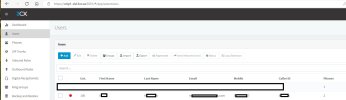
Also check the IP Blacklist on the 3CX Dashboard, you may have been blocked during your attempt to configure it.
 
Last edited:
I checked my Ip didn't block. I disabled the trusted certificate. I reset factory the phone and did the setting again, but it didn't work. After reseting the firmware was updated. My phone and my https://voip1-cld.3cx.ca/ ( server) is not in the same network so I am using its public IP.
Is this the correct instruction? https://www.3cx.com/sip-phones/manually-provision-yealink/
Is there anything else that I can do?
 
Last edited:
Outbound proxy server 1 is for the LAN IP of the 3CX SBC software that should be running on your local lan. Do you have 3CX SBC installed and running on your local network?
 
Outbound proxy server 1 is for the LAN IP of the 3CX SBC software that should be running on your local lan. Do you have 3CX SBC installed and running on your local network?
No I don't have. I disabled the outbound proxy server and remove the Ip. I tested again and it didn't work. The 3cx is a virtual server and it is not in the phone lan
 
If you want to run a phone from one LAN to a cloud 3CX the best method is to use the 3CX SBC to manage the routing of the calls between the two.

What you are trying to do is go direct, using the STUN method. The 3CX instructions don't provide how to do that manually. There are several additional parameters that are needed to be configured and even then it may or may not work. Do you have a newer yealink phone you can test with? You can configure it with STUN and test that it works, then compare what settings it has in it and apply it to the T41P.
 
Unfortunately, I have just this phone. Doesn't 3cx support T41P? Does it recommend buying or use this model?
I will search to find how to set up this phone with STUN. Is there any document?
 
If you get it set up via stun , this could present a whole new set of problems since stun is very fragile.
It can work one day and be broken the next day because many factors between the Stun device and the PBX can change without your knowing and break the setup.
 
  • Like
Reactions: JohnS_3CX
At remote sites, either use an SBC and provision your phones on that, or use the 3CX apps.

There isn't much point setting up a phone in STUN. Even if it works, one day it will randomly stop and you will be left wondering why because you didn't change any settings or touch anything on your network (search our forum for STUN and you will see countless cases describing this exact issue).
 
  • Like
Reactions: CentrexJ
If STUN is set up correctly on the set itself, it will allow the phone to register using the public IP of the router it is behind, rather than the local IP of the device (which you don't want).

I would first check the 3CX Activity Log to see what is happening during a registration attempt. You may need to set to Verbose level for any meaningful information.

If you see the sets local IP in the registration, than you have a STUN issue. 3CX will not be able to reach the set without the public IP. Other issues, such an an incorrect user, or password, should also show in the log.

In your post of the Yealink settings, you show the user name as 100, but right above, you have a register name that is different. I would think it should be the same.

The log will show what user, the set is attempting to use, and if it is incorrect.

I have manually provisioned some Yeakinks, for use locally, but not used them with STUN so I have not gone through that process..
 
Status
Not open for further replies.

Members Online Now

Forum statistics

Threads
111,832
Messages
589,285
Members
164,662
Latest member
DejanMDS