


- Joined
- Apr 2, 2019
- Messages
- 6
- Reaction score
- 2
Is anyone else having trouble with the latest Yealink firmware (66.85.0.5) and push XML?
I'm using the following C# code, which worked on the previous firmware (66.84.0.95), but as soon as I update a phone to the latest, it no longer works (no errors, just nothing shows up on the phone)
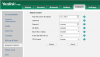
The relevant settings in the phone configuration seem to be set: (password is blank, but refills to this after 'confirm')
I'm using the following C# code, which worked on the previous firmware (66.84.0.95), but as soon as I update a phone to the latest, it no longer works (no errors, just nothing shows up on the phone)
C#:
string xml = "<YealinkIPPhoneTextScreen Beep=\"no\" Timeout=\"10\">\n<Title>A title</Title>\n<Text>Some text</Text>\n</YealinkIPPhoneTextScreen>\n";

System.Net.ServicePointManager.Expect100Continue = false;

HttpWebRequest request = (HttpWebRequest)WebRequest.Create("http://" + phoneIP);
request.Method = "POST";
request.Timeout = 5;

request.Host = phoneIP;
request.Referer = serverIP;

byte[] byteArray = Encoding.UTF8.GetBytes("xml=" + XML);
request.ContentType = "text/xml";
request.ContentLength = byteArray.Length;
Stream dataStream = request.GetRequestStream();
dataStream.Write(byteArray, 0, byteArray.Length);
dataStream.Close();
dataStream.Flush();
The relevant settings in the phone configuration seem to be set: (password is blank, but refills to this after 'confirm')


