Yealink T48G - cannot retrieve parked call

Status
Not open for further replies.

nathanmsaunders

Joined
Aug 21, 2016
Messages
32
Reaction score
0
Hi Guys,

i am trying to setup a yealink t48g with 3cx however i am unable to retreive a parked call on the handset

when a call comes in i can hit park and it will transfer the call to the shared park however if i press the same shared park dsskey i pressed to put them on park it just dials SP1 and doesnt retrieve the call.

i have tested picking up the same call i placed on park via another snom phone at it works fine. am i doing something wrong? i configured the handset with the template from 3cx v15 SP4.

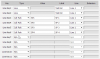
see attached photo from the phone system it self and the handset

 

Attachments

  • 2017-01-05 19_12_16-3CX Phone System Management Console.png
    2017-01-05 19_12_16-3CX Phone System Management Console.png
    17.4 KB · Views: 18
  • 2017-01-05 19_08_33-Yealink T48G Phone.png
    2017-01-05 19_08_33-Yealink T48G Phone.png
    19.8 KB · Views: 18
Hello @nathanmsaunders

Just tested with a T48 with firmware 35.80.0.130 and i can park and pick up a call from shared parking with no problem.
Called the extension, answered the call and then pressed BLF key SP1. The call got parked and i picked it up using the same BLF.
Are the extensions local or remote?
 
Hello @nathanmsaunders

Just tested with a T48 with firmware 35.80.0.130 and i can park and pick up a call from shared parking with no problem.
Called the extension, answered the call and then pressed BLF key SP1. The call got parked and i picked it up using the same BLF.
Are the extensions local or remote?


Hi there,

Seems what is happening is when the phone is provisioned via the default template the park extensions are not registering however if I go into the web page of the handset after its provisioned and click the buttons tab then click apply they all turn green on the handset and then work.

The handsets are remote. Running latest firmware from the yealink website

Did you deploy yours via the template or manually.

It doesn't seem to activate the provisionised settings on the handset until I log in an hit apply
 
Last edited:
mine was provisioned with default template. When you say latest firmware from Yealink website which firmware is that? Is it the same mentioned i above?
 
Status
Not open for further replies.

Latest Posts

Members Online Now

Forum statistics

Threads
111,852
Messages
589,387
Members
164,691
Latest member
Daz1964