- Joined
- Aug 12, 2026
- Messages
- 2
- Reaction score
- 0
Hello,
I would like to report a reproducible HTTPS/TLS compatibility issue with a **Yealink SIP-T48S running firmware 66.86.0.180**.
According to the 3CX firmware announcement, `66.86.0.180` is the firmware provided for the legacy Yealink T41S/T42S/T46S/T48S models. 3CX states that these firmware versions were verified for interoperability with 3CX V20 Update 7.
3CX announcement:
https://www.3cx.com/blog/releases/yealink-firmware-updates/
## Device
* **Model:** Yealink SIP-T48S
* **Firmware:** `66.86.0.180`
* **Network:** local LAN
No public IP address, MAC address, SIP credentials, account information, session tokens, or other device-specific credentials are included in this report.
## Problem
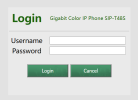
The phone's HTTPS Web UI cannot be accessed using current web browsers.
For example, Firefox reports:
```text
PR_END_OF_FILE_ERROR
```
This is not simply a Web UI/application problem.
I was able to access the phone's Web UI directly using `ncat` and manually constructed HTTP requests with proper CRLF line endings. The phone returns a normal HTTP response, including:
```text
HTTP/1.0 200 OK
X-Frame-Options: SAMEORIGIN
X-Content-Type-Options: nosniff
X-XSS-Protection: 1; mode=block
Strict-Transport-Security: max-age=31536000; includeSubDomains
Cache-Control: private, max-age=0, no-cache
Content-Type: text/html
Content-Length: 30417
Connection: close
```
The returned page is the actual T48S Web UI and identifies the running firmware as:
```text
g_strFirmware = "66.86.0.180";
g_phonetype = "T48S";
```
Therefore, the HTTP application/Web UI itself is operational.
## HTTPS/TLS diagnostic results
I tested the HTTPS endpoint directly with OpenSSL.
### Default OpenSSL connection
```text
CONNECTED(00000003)
error:0A000126:SSL routines:ssl3_read_n:unexpected eof while reading
no peer certificate available
No client certificate CA names sent
SSL handshake has read 0 bytes and written 300 bytes
Verification: OK
New, (NONE), Cipher is (NONE)
Secure Renegotiation IS NOT supported
Compression: NONE
Expansion: NONE
No ALPN negotiated
Verify return code: 0 (ok)
```
The important part is:
```text
SSL handshake has read 0 bytes and written 300 bytes
no peer certificate available
Cipher is (NONE)
```
So the phone does not send a ServerHello or certificate at all.
### TLS 1.2 explicitly forced
I also tested:
```text
openssl s_client -connect <PHONE_IP>:443 -tls1_2
```
The result is the same:
```text
error:0A000126:SSL routines:ssl3_read_n:unexpected eof while reading
no peer certificate available
SSL handshake has read 0 bytes and written 195 bytes
New, (NONE), Cipher is (NONE)
```
### TLS 1.3 explicitly forced
I also tested:
```text
openssl s_client -connect <PHONE_IP>:443 -tls1_3
```
Again, the result is the same:
```text
error:0A000126:SSL routines:ssl3_read_n:unexpected eof while reading
no peer certificate available
SSL handshake has read 0 bytes and written 232 bytes
New, (NONE), Cipher is (NONE)
```
Therefore, this does not appear to be simply a TLS 1.3 compatibility problem.
Both TLS 1.2 and TLS 1.3 fail before the server sends any certificate.
## curl result
The same behavior is reproducible with curl:
```text
* Trying <PHONE_IP>:443...
* Connected to <PHONE_IP> port 443
* ALPN, offering h2
* ALPN, offering http/1.1
* TLSv1.0 (OUT), TLS header, Certificate Status (22):
* TLSv1.3 (OUT), TLS handshake, Client hello (1):
* TLSv1.0 (OUT), TLS header, Unknown (21):
* TLSv1.3 (OUT), TLS alert, decode error (562):
* error:0A000126:SSL routines::unexpected eof while reading
* Closing connection
curl: (35) error:0A000126:SSL routines::unexpected eof while reading
```
The TCP connection succeeds and the ClientHello is sent, but the TLS connection is immediately terminated.
## Summary of the observed behavior
The sequence appears to be:
```text
Client T48S
TCP connection ------------->
TLS ClientHello ------------>
[connection terminated]
<--------- no ServerHello
<--------- no certificate
<--------- no negotiated cipher
```
The phone therefore accepts TCP/443 but does not successfully process the TLS ClientHello.
At the same time, the underlying Web UI is functional when accessed through the working HTTP interface.
## Why I believe this may be firmware-related
The issue is reproducible with multiple independent TLS clients:
* Firefox
* curl
* OpenSSL
It is also reproducible when TLS 1.2 and TLS 1.3 are explicitly selected.
The failure occurs before certificate exchange and before the HTTP layer is reached.
This makes a browser-specific issue, certificate validation issue, or HTTP/Web UI issue unlikely.
My current suspicion is a compatibility problem in the HTTPS/TLS server implementation of firmware `66.86.0.180`, potentially related to processing the TLS ClientHello or one of the extensions, cipher suites, supported groups, or other parameters presented by modern TLS clients.
I am not claiming that the exact root cause has been identified yet; I would like to have this confirmed by 3CX/Yealink.
## Request
Could you please confirm the following:
1. Is HTTPS Web UI access from current Firefox/Chrome/curl/OpenSSL clients expected to work on T48S firmware `66.86.0.180`?
2. Is there a known HTTPS/TLS compatibility issue in this firmware?
3. Is there a newer or engineering Yealink firmware build for the T48S that addresses this?
4. If `66.86.0.180` is the latest supported firmware for the T48S, could this issue be forwarded to Yealink for investigation?
5. If required, I can provide a packet capture showing the complete TCP/TLS exchange and the exact ClientHello sent to the phone privately.
The key point is that the phone's HTTP Web UI is functional, while the HTTPS endpoint accepts the TCP connection but terminates the connection immediately after receiving the TLS ClientHello.
Thank you.
I would like to report a reproducible HTTPS/TLS compatibility issue with a **Yealink SIP-T48S running firmware 66.86.0.180**.
According to the 3CX firmware announcement, `66.86.0.180` is the firmware provided for the legacy Yealink T41S/T42S/T46S/T48S models. 3CX states that these firmware versions were verified for interoperability with 3CX V20 Update 7.
3CX announcement:
https://www.3cx.com/blog/releases/yealink-firmware-updates/
## Device
* **Model:** Yealink SIP-T48S
* **Firmware:** `66.86.0.180`
* **Network:** local LAN
No public IP address, MAC address, SIP credentials, account information, session tokens, or other device-specific credentials are included in this report.
## Problem
The phone's HTTPS Web UI cannot be accessed using current web browsers.
For example, Firefox reports:
```text
PR_END_OF_FILE_ERROR
```
This is not simply a Web UI/application problem.
I was able to access the phone's Web UI directly using `ncat` and manually constructed HTTP requests with proper CRLF line endings. The phone returns a normal HTTP response, including:
```text
HTTP/1.0 200 OK
X-Frame-Options: SAMEORIGIN
X-Content-Type-Options: nosniff
X-XSS-Protection: 1; mode=block
Strict-Transport-Security: max-age=31536000; includeSubDomains
Cache-Control: private, max-age=0, no-cache
Content-Type: text/html
Content-Length: 30417
Connection: close
```
The returned page is the actual T48S Web UI and identifies the running firmware as:
```text
g_strFirmware = "66.86.0.180";
g_phonetype = "T48S";
```
Therefore, the HTTP application/Web UI itself is operational.
## HTTPS/TLS diagnostic results
I tested the HTTPS endpoint directly with OpenSSL.
### Default OpenSSL connection
```text
CONNECTED(00000003)
error:0A000126:SSL routines:ssl3_read_n:unexpected eof while reading
no peer certificate available
No client certificate CA names sent
SSL handshake has read 0 bytes and written 300 bytes
Verification: OK
New, (NONE), Cipher is (NONE)
Secure Renegotiation IS NOT supported
Compression: NONE
Expansion: NONE
No ALPN negotiated
Verify return code: 0 (ok)
```
The important part is:
```text
SSL handshake has read 0 bytes and written 300 bytes
no peer certificate available
Cipher is (NONE)
```
So the phone does not send a ServerHello or certificate at all.
### TLS 1.2 explicitly forced
I also tested:
```text
openssl s_client -connect <PHONE_IP>:443 -tls1_2
```
The result is the same:
```text
error:0A000126:SSL routines:ssl3_read_n:unexpected eof while reading
no peer certificate available
SSL handshake has read 0 bytes and written 195 bytes
New, (NONE), Cipher is (NONE)
```
### TLS 1.3 explicitly forced
I also tested:
```text
openssl s_client -connect <PHONE_IP>:443 -tls1_3
```
Again, the result is the same:
```text
error:0A000126:SSL routines:ssl3_read_n:unexpected eof while reading
no peer certificate available
SSL handshake has read 0 bytes and written 232 bytes
New, (NONE), Cipher is (NONE)
```
Therefore, this does not appear to be simply a TLS 1.3 compatibility problem.
Both TLS 1.2 and TLS 1.3 fail before the server sends any certificate.
## curl result
The same behavior is reproducible with curl:
```text
* Trying <PHONE_IP>:443...
* Connected to <PHONE_IP> port 443
* ALPN, offering h2
* ALPN, offering http/1.1
* TLSv1.0 (OUT), TLS header, Certificate Status (22):
* TLSv1.3 (OUT), TLS handshake, Client hello (1):
* TLSv1.0 (OUT), TLS header, Unknown (21):
* TLSv1.3 (OUT), TLS alert, decode error (562):
* error:0A000126:SSL routines::unexpected eof while reading
* Closing connection
curl: (35) error:0A000126:SSL routines::unexpected eof while reading
```
The TCP connection succeeds and the ClientHello is sent, but the TLS connection is immediately terminated.
## Summary of the observed behavior
The sequence appears to be:
```text
Client T48S
TCP connection ------------->
TLS ClientHello ------------>
[connection terminated]
<--------- no ServerHello
<--------- no certificate
<--------- no negotiated cipher
```
The phone therefore accepts TCP/443 but does not successfully process the TLS ClientHello.
At the same time, the underlying Web UI is functional when accessed through the working HTTP interface.
## Why I believe this may be firmware-related
The issue is reproducible with multiple independent TLS clients:
* Firefox
* curl
* OpenSSL
It is also reproducible when TLS 1.2 and TLS 1.3 are explicitly selected.
The failure occurs before certificate exchange and before the HTTP layer is reached.
This makes a browser-specific issue, certificate validation issue, or HTTP/Web UI issue unlikely.
My current suspicion is a compatibility problem in the HTTPS/TLS server implementation of firmware `66.86.0.180`, potentially related to processing the TLS ClientHello or one of the extensions, cipher suites, supported groups, or other parameters presented by modern TLS clients.
I am not claiming that the exact root cause has been identified yet; I would like to have this confirmed by 3CX/Yealink.
## Request
Could you please confirm the following:
1. Is HTTPS Web UI access from current Firefox/Chrome/curl/OpenSSL clients expected to work on T48S firmware `66.86.0.180`?
2. Is there a known HTTPS/TLS compatibility issue in this firmware?
3. Is there a newer or engineering Yealink firmware build for the T48S that addresses this?
4. If `66.86.0.180` is the latest supported firmware for the T48S, could this issue be forwarded to Yealink for investigation?
5. If required, I can provide a packet capture showing the complete TCP/TLS exchange and the exact ClientHello sent to the phone privately.
The key point is that the phone's HTTP Web UI is functional, while the HTTPS endpoint accepts the TCP connection but terminates the connection immediately after receiving the TLS ClientHello.
Thank you.