Yealink W56H with W60B Phonebook connect error

Status
Not open for further replies.

AWS2P

Silver Partner
Joined
Jan 9, 2014
Messages
5,076
Reaction score
1,096
Hi,
i've a 3CX V16 Sp1 cloud based , and local phones behind SBC (PI) , FQDN is 3CX one,

All is working fine except phonebook access from yealink DECT phone producing connect error each time.

W60B is up to date in FW 77.81.0.35 latest available from 3CX console, SSL transport and Ciphers is enabled

i've seen several post relating same problem, but I'm not sure what is the good way to fix this.

Also on Yealink support HERE there's newer FW 77.83.0.25 so is it a way to test if this one can be applied to fix this behavior?

Other way to fix ?
 
You mentioned SSL transport and Ciphers is enabled. Have you tried disabling it?
 
For now , No , but normally these phones are able to work with TLS V1.2, no?
 
unchecked SSL transport, it works. but is it so good to disable this feature to have phonebook working?
 
Hi @aws2p

As per this site the officially supported firmware is the below: https://www.yealink.com/products_48.html

W56H-61.80.0.40
W60B-77.83.0.20

If the device does not support TLS 1.2 then the only option to maintain the phonebook is to disable the ciphers above TLS V1.1, but according to their release notes this has been added.

It is considered less secure, but you still have encryption. Please ensure you are on the firmware mentioned above via that link, and also that the templates are updated. Then factory reset and reprovision

10917
 
Last edited:
@JohnS_3CX
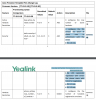
For now i'm in FW 77.81.0.35, if i well understand ,according to infos in the screen copy , the FW already running is normally able to work with TLS 1.2, but it needs to be set to 5 directly in DECT base via GUI ?
Am i Right ?
 
Actually, I think maybe Yealink made a typo here. The filename of the PDF on the site is:

10918


But internally the document in the screenshot shows an older version. So I think the just forgot to update the version numbers in the document.

Try the new firmware by going here https://www.yealink.com/products_48.html and clicking on the Software button to get the latest

10919

Then simply factory reset and reprovision from the beginning with our latest templates.
 
new firmware shouldn't be available from MC ?

if I install the latest firmware , will I have a console warning message to tell me that the firmware is not supported ?
 
Last edited:
Status
Not open for further replies.

Forum statistics

Threads
111,926
Messages
589,764
Members
164,799
Latest member
RicoDinero