- Joined
- Aug 24, 2018
- Messages
- 5
- Reaction score
- 0
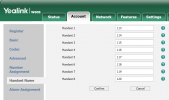
Currently, everything is configured and working but the cordless handsets (W56H) are only showing the extension numbers on the display screen, not the extension name. I've updated the Handset Names in the W60B but they keep getting reset to the extensions only. Is there a way to override this and set the handsets to show the Extension name, not the number (or both would be great!).
The firmware on the handsets and the base are up to date and the PBX is 16.0.8.9.
Any advice would be appreciated, thanks.
The firmware on the handsets and the base are up to date and the PBX is 16.0.8.9.
Any advice would be appreciated, thanks.