Zoho CRM Integration not working

Status
Not open for further replies.

servicemax

Customer
Basic Certified
Joined
Jan 24, 2018
Messages
6
Reaction score
7
Hi,
I started using the CRM Wizard, couldn't get it to work, then the new integration for v18 came out soon after.
pretty sure I deleted all my old work...

We have
- deleted the Zoho connection and recreated it
- deleted the Zoho template from 3CX and re-imported it

Then added everything according to the instructions at
https://www.3cx.com/docs/pbx-crm-integration-zoho/

When an incoming call is made to this 3CX instance-

- No pop up
- No call journal is added to Leads, Contacts, etc.

It does seem like it is connected, there's no obvious issues,
the 'auth' screen for Zoho connection works, but the 'test' does not work in the integration screen, ie. we get an error-

Error occured while accessing CRM. Please check log provided.
Started OAuthGetAccessToken
Request text: https://accounts.zoho.com/oauth/v2/token
Request form value code set to 1000.1d00f97036c2(redacted)
Request form value grant_type set to authorization_code
Request form value client_id set to 1000.NBTJ9Q(redacted)
Request form value client_secret set to 8f3eb3728(redacted)
Request form value scope set to ZohoCRM.modules.accounts.READ,ZohoCRM.modules.leads.READ,ZohoCRM.modules.contacts.READ,ZohoCRM.modules.contacts.CREATE,ZohoCRM.modules.calls.CREATE,ZohoCRM.modules.tasks.CREATE,ZohoCRM.users.READ
Request form value redirect_uri set to https://mydomain.3cx.com.au:5001/api/oauth2crm
Request form value state set to bdf4270a-8a2a-4dad-8a31-78df5594f658
Response text: {"state":"bdf4270a-8a2a-4dad-8a31-78df5594f658","error":"invalid_client"}
Response finished
Finished OAuthGetAccessToken
System.Exception: CRM call result is empty or null
at ManagementConsoleJS.Controllers.OAuth2CrmController.OAuth(String state, CrmProcessorFactoryDelegate crmProcessorFactory, IMemoryCache cache)


Please let me know what to do next
 
Sounds like permissions, scopes or just wrong config for the client ID.

"Response text: {"state":"bdf4270a-8a2a-4dad-8a31-78df5594f658","error":"invalid_client"}"
 
  • Like
Reactions: edossantos
Thanks @ConceptsWeb yes that does seem likely, but since this is mostly governed by the 3CX template, it doesn't give me anything to fix or check- I've done it several times...

But please let me ask-
1. Do you have this integration working?
2. if yes, is it working with a non USA Zoho data centre?
 
Last edited:
This is most probably due to the URL configured in 3CX > Settings > CRM > Zoho > Accounts Server URL. If your Zoho account is in a non USA data centre, you will need to enter the appropriate URL, for example for Europe you need to use https://accounts.zoho.eu. If you configure the .com domain, the client ID will be unknown for those data centres.
 
Hi @edossantos,
I didn't make this clear, but the customers data is in .au data centre, and we have used the .au in the URL. In fact, the connection wouldn't work if we left it out.
What is next please?
 
Hi @edossantos,
I didn't make this clear, but the customers data is in .au data centre, and we have used the .au in the URL. In fact, the connection wouldn't work if we left it out.
What is next please?
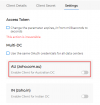
When you create the app in Zoho, ensure that the AU data center is enabled:
1647348376382.png

Or check the option "Use the same OAuth credentials for all data centers"...
 
ok here are the results- still doesn't work
My interface for creating the connection in Zoho dev console DID NOT have an entry for AU data centre, so we selected 'all data centres'
- and got the same results, lookups do not work.

After that, we deleted the connection/ template from 3CX, deleted the connection from Zoho dev console, and set up the whole thing again.
It still doesn't work. Here is a log from a test lookup- this number IS in the Leads section of Zoho CRM

Started scenario with empty id Started Auth Request text: https://accounts.zoho.com.au/oauth/v2/token Request form value refresh_token set to 1000.839399f5<redacted> Request form value grant_type set to refresh_token Request form value client_id set to 1000.DMMJ3<redacted> Request form value client_secret set to c05f8e6e65f8c<redacted> Response text: {"access_token":"1000.0cbeca6183a9b015<redacted>3e96","api_domain":"https://www.zohoapis.com.au","token_type":"Bearer","expires_in":3600} Response finished Variable AccessToken set to 1000.0cbeca67<redacted>94951493e5e27299f5c3e96 Variable ApiDomain set to https://www.zohoapis.com.au Finished Auth Request text: https://www.zohoapis.com.au/crm/v2.1/Contacts/search?criteria=((Phone:equals:08<redacted>) or (Mobile:equals:08<redacted>) or (Home_Phone:equals:08<redacted>6) or (Other_Phone:equals:08<redacted>) or (Fax:equals:08<redacted>))&fields=Account_Name,id,First_Name,Last_Name,Phone,Mobile,Home_Phone,Asst_Phone,Other_Phone,Email,Fax System.Exception: Server returned a non successful status code - HTTPStatusCode=BadRequest - Reason= - Content={"code":"INVALID_QUERY","details":{"reason":"the field is not available for search","api_name":"Fax"},"message":"invalid query formed","status":"error"} at CrmIntegration.ScenarioProcessorBase.ProcessRequest(ScenarioRequest request, IValueManager customManager, HttpClient client, CancellationToken token) at CrmIntegration.ScenarioProcessorBase.ProcessScenario(ProtocolScenario scenario, IValueManager customManager, CancellationToken token) at CrmIntegration.ScenarioProcessorBase.Execute(ProtocolScenario scenario, CancellationToken token) at CrmIntegration.CrmProcessor.GetContactInfoFromCrm(List`1 result, IEnumerable`1 scenariosToProcess, IValueManager customManager, Func`2 filterResultsFunctor, Func`1 createContactRecordFunctor, CancellationToken token) at CrmIntegration.CrmProcessor.GetContactInfo(String contactNumber, InteractionTypes interactionType, CancellationToken token)

It seems pretty clear that we should be able to turn searching for fax number off, but I'm not sure that is the root of the issue-

System.Exception: Server returned a non successful status code - HTTPStatusCode=BadRequest - Reason= - Content={"code":"INVALID_QUERY","details":{"reason":"the field is not available for search","api_name":"Fax"},"message":"invalid query formed","status":"error"}
 
Hey @ConceptsWeb - just confirming that this did help- thank you!
I'll write this up for my own knowledge, but I think the docs could be improved...
 
Status
Not open for further replies.