


- Joined
- Aug 23, 2019
- Messages
- 67
- Reaction score
- 28
3CX ver: 16.0.910
I have configured Zoho CRM per the documents at: https://www.3cx.com/docs/pbx-crm-integration-zoho/
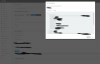
The test runs fine. See screenshot.
But nothing is being logged in Zoho. Nor is the contact record popping up when called. And I have the "Extension_Number" set correctly in the user records. I have reached out to Zoho as I thought this was something on their end. But thought I would look here as well.
Looking through the logs I am seeing this at the end
2019/09/01 11:56:16.820|6358|0048|Erro|Exception during call reporting: Server returned a non successful status code - HTTPStatusCode=BadRequest - Reason= - Content={"code":"INVALID_QUERY","details":{"reason":"the field is not available for search","api_name":"extension"},"message":"invalid query formed","status":"error"}
I have configured Zoho CRM per the documents at: https://www.3cx.com/docs/pbx-crm-integration-zoho/
The test runs fine. See screenshot.
But nothing is being logged in Zoho. Nor is the contact record popping up when called. And I have the "Extension_Number" set correctly in the user records. I have reached out to Zoho as I thought this was something on their end. But thought I would look here as well.
Looking through the logs I am seeing this at the end
2019/09/01 11:56:16.820|6358|0048|Erro|Exception during call reporting: Server returned a non successful status code - HTTPStatusCode=BadRequest - Reason= - Content={"code":"INVALID_QUERY","details":{"reason":"the field is not available for search","api_name":"extension"},"message":"invalid query formed","status":"error"}
Last edited:


