3CX Version 18 has brought some great improvements to live chat including an updated WordPress plugin. We’ve also moved the customization into the management console and Web Client for StartUP users. We thought this would be a good opportunity to highlight some of the security features of 3CX Live Chat and what mechanisms you can put in place to keep yourself and your visitors safe.
Why is security important for live chat?
In December 2020, it was revealed by Ars Technica that the American telco giant Verizon had been leaking its customer data as a result of a flaw in its live chat system. This information included customers' addresses, phone numbers, account numbers, and other personal data. It is clear how this kind of leak would affect any company, especially those that fall under the European Union’s GDPR stringent regulations.
What security does 3CX offer?
With that in mind, let's take a look at 6 key areas where 3CX has been developed with security as a focus.
1. HTTPS encrypted connections
A visitor’s connection to 3CX Live Chat uses encryption. A TLS 1.2 protocol is used so that data is secure whilst in transit.
2. No 3rd party services are used
All visitor communication is directly managed by your PBX system, which also connects the agent. It all happens without any outside sources and interference - not even central 3CX Corporate Servers are involved.
3. Data storage and retention policies
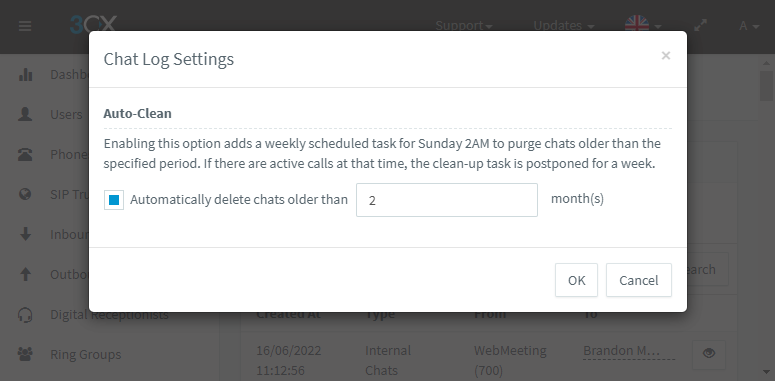
All data is stored locally on the 3CX Instance that has been used to manage the live chat session. This ensures GDPR compliance and also means that admins have full control of the audit trail. Confidential data can be automatically purged with an auto-delete option after X months.
4. Easy blocking of visitors
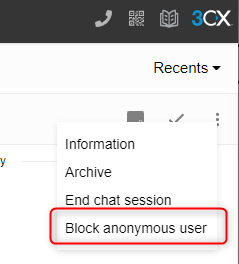
If a conversation is turning abusive or is clearly a phishing attempt, an agent can opt to block a visitor by using the ‘Block’ function available when clicking on the ‘More’ icon in the toolbar.
5. 3CX System thresholds
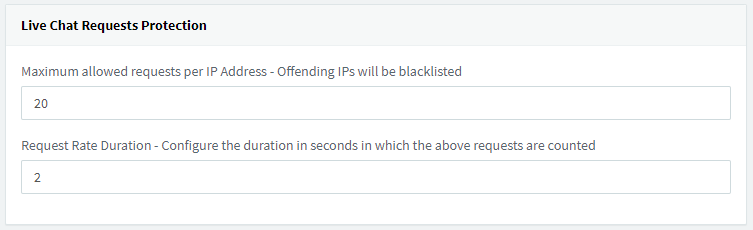
Administrators have a couple of tools at their disposal to help stop any malicious activity via the 3CX Live Chat bubble.
- A maximum threshold of concurrent sessions to prevent flood attacks. This setting is found in “Security > Anti-Hacking”
- Only certain file types can be shared helping to prevent malicious files from being received
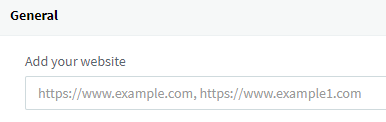
- 3CX only accepts inbound chats from specific website domains. This is defined by the ‘Add your website’ field when configuring your live chat instance. Any other website origins would be rejected (CORS).
6. WebRTC protection for calls
As 3CX Live Chat offers conversations to be elevated to a call or video call, WebRTC is used to ensure security protocols (DTLS/SRTP) are used to protect the traffic.
More security information
Our product security is a key area that we take seriously. Cyber-attack technology is being developed and adapted every day so admins have all the tools to mitigate any vulnerabilities. If you missed our recent “Don't be THAT guy” series, check out all 4 volumes starting with Vol 1: Keep complex credentials.