





Prepare your 3CX system for outages with tested backups, a clear recovery path and a simple validation plan.
A 3CX backup is an important part of disaster recovery, but it is not the whole plan! If a PBX fails, you need to know which backup to restore, where to restore it, which external services may also need attention and how to confirm the system is working again. The best time to make those decisions is before an outage.
Start by defining how quickly the PBX must be back online and how much recent data the business can afford to lose. Then build your backup frequency, recovery method and test process around those requirements.
Read on to see how to plan your recovery, protect your backups, test the restore and bring 3CX services back in the right order.
Plan Your Recovery Before You Need It
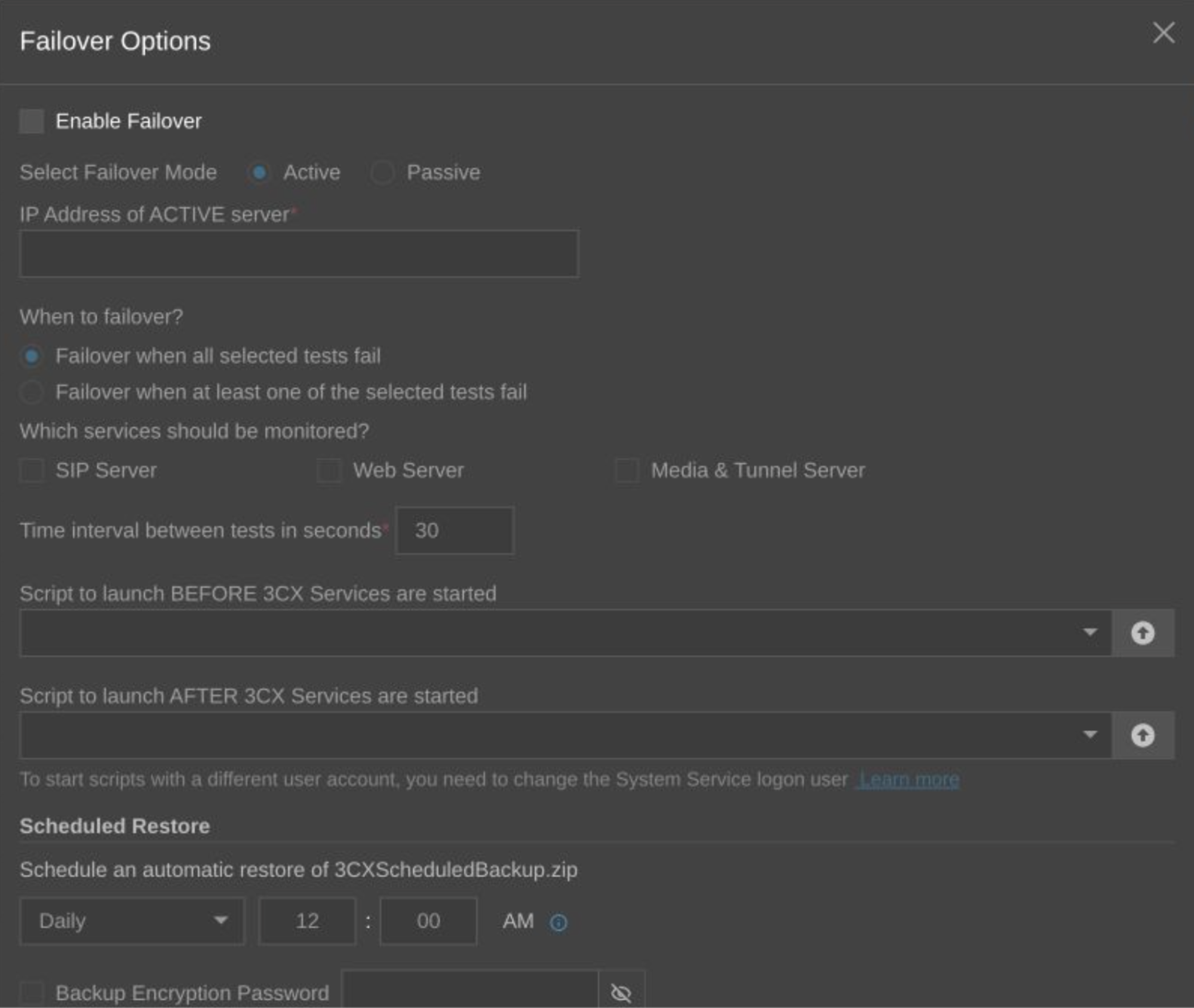
Not every outage needs the same response. For a single-server failure or migration, restoring from a recent backup may be enough. If the business requires a faster recovery path, an active-passive failover setup may be more appropriate where the deployment meets the required conditions.
SIP trunk failover is separate again. It can help a provider redirect calls when supported, but it does not replace PBX recovery. Before an incident, make sure you know:
- How quickly service needs to return
- How much recent configuration or call data can be lost
- Which services must be restored first
- Who is responsible for making the recovery decision
- Whether the plan is based on backup restore, failover or both
For detailed requirements and configuration, see the 3CX Failover guide and SIP Trunk Failover guide.
Know What Lives Outside the Backup
A restored PBX may still depend on services outside 3CX. SIP trunk permissions, DNS, firewall rules, SBCs, certificates, CRM connections and other integrations may need to be checked or updated after recovery.
Keep a simple record of these dependencies and who is responsible for them. That can save valuable time when the PBX itself has already been restored but calls or integrations are still not working.
Back Up the PBX and Test the Restore
The real question is not simply “Do we have a backup?” It is: “Can we restore this system from that backup when we need to?”
Use scheduled 3CX backups and choose a frequency that matches how much recent data you can afford to lose. Keep more than one recovery point and make sure at least one copy is stored outside the PBX host and outside the same failure environment.
For most systems, the important points are simple:
- Schedule backups regularly
- Store copies remotely
- Include recordings where they are required
- Protect encryption passwords separately from the backup
- Monitor backup success and failure notifications
For the available backup options and supported storage locations, see the 3CX Backup & Storage guide.
Test a Restore Before an Outage
A successful backup job only proves that a backup file was created. It does not prove the business can recover from it. Periodically restore a recent backup in a safe test environment and check that the system comes back as expected. At minimum, verify:
- Users and extensions
- SIP trunks and DIDs
- Inbound and outbound calls
- Queues, IVRs and transfers
- Web Client, apps and phones
- Important integrations
Record how long the recovery took and anything that needed to be fixed manually. Repeat the test after major changes to your PBX, network, SIP trunks or integrations. That way the recovery plan stays relevant as the system changes.
Restore the Full 3CX Service, Not Just the PBX
During recovery, bring services back in a controlled order. Start with the PBX itself, then work through the dependencies that users need to make and receive calls. A practical sequence is:
- Restore the selected backup to the recovery system
- Confirm the FQDN, certificate, DNS and network path are correct
- Check SIP trunk registration and DID routing
- Verify apps, IP phones, SBCs and gateways can reconnect
- Recheck integrations such as CRM, Microsoft 365, Google or SMTP
- Make real inbound, outbound and internal test calls
Don’t assume that a healthy Admin Console means the communications system is fully recovered.
Validate Before You Hand the System Back
Before declaring recovery complete, test the system from the user's point of view. Confirm that calls route correctly, users can connect, phones and apps work, queues and IVRs behave as expected and required integrations are running again. Then create a fresh post-recovery backup and record any changes made during the incident.
For DNS, phones and SIP trunk-specific recovery steps, refer to the relevant 3CX guides:
A backup gives you something to restore. A tested recovery plan tells you how to get the business communicating again.
Join the Discussion
Join the 3CX discussion in our dedicated Partner or Customer Forums. Follow us on X and LinkedIn to stay up to date on the latest 3CX news and feature releases.









 Copyright © 2026