- Joined
- Jul 16, 2026
- Messages
- 3
- Reaction score
- 1
Hi everyone,
I'm experiencing a reproducible issue with the 3CX PWA and a Jabra Evolve2 55 using a Jabra Link 390 USB dongle.
If I answer the first call with the mouse, all subsequent incoming calls can be answered using the headset button without any issues.
It almost seems as if the WebHID/Jabra call-control connection is only initialized when the first user interaction with the dialer or the first incoming/outgoing call occurs, instead of when the PWA starts.
Has anyone found a workaround or can someone from the 3CX team confirm whether this is expected behavior or a known issue?
Thanks!
I'm experiencing a reproducible issue with the 3CX PWA and a Jabra Evolve2 55 using a Jabra Link 390 USB dongle.
Environment
- 3CX PWA (latest version)
- Google Chrome (latest)
- Windows 11 (fully updated)
- Jabra Evolve2 55
- Jabra Link 390
- Latest Jabra firmware
- Jabra Direct installed
- Headset integration enabled and set to Jabra
Problem
After a Windows reboot, everything appears to be connected correctly:- Windows recognizes the headset.
- Audio playback works normally.
- The Jabra headset is selected as the default playback and communication device.
- The PWA detects the headset.
If I answer the first call with the mouse, all subsequent incoming calls can be answered using the headset button without any issues.
Additional observations
- During the first incoming ring, there is a very short audio interruption in the headset, as if the communication channel or HID interface is being initialized.
- After this happens once, everything works perfectly until the next reboot.
- The exact same behavior occurs in both Chrome PWA and Edge PWA.
- The issue also disappears if I make a short outgoing call immediately after startup. After that, the headset buttons work correctly for the rest of the session.
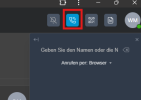
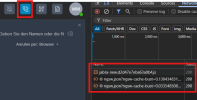
- Even more interesting: If I simply click on the Dialer/Keypad in the 3CX PWA without placing a call, the headset buttons immediately start working. Looking at Chrome DevTools, clicking the Dialer triggers additional JavaScript activity. Immediately afterwards, the Jabra headset buttons work correctly, even without making or receiving a call. This suggests that the Jabra/WebHID headset integration may only be initialized when the Dialer component is loaded, rather than when the PWA starts.
- The problem is not limited to a single computer. It occurs on all of our Windows notebooks using the same setup, so it does not appear to be hardware-specific.
What I've already tried
- Latest 3CX version
- Latest Chrome
- Latest Windows updates
- Latest Jabra firmware
- Latest Jabra Direct
- Re-paired the Link 390
- Reset Chrome WebHID permissions
- Different USB ports
- Disabled USB power saving
- Delayed PWA startup after Windows login
Question
Has anyone experienced the same issue?It almost seems as if the WebHID/Jabra call-control connection is only initialized when the first user interaction with the dialer or the first incoming/outgoing call occurs, instead of when the PWA starts.
Has anyone found a workaround or can someone from the 3CX team confirm whether this is expected behavior or a known issue?
Thanks!