3CX Backups

fabiomcaldeira

Silver Partner
Advanced Certified
Joined
Apr 26, 2024
Messages
14
Reaction score
0
Hi Everyone

I know this is a long shot but I am sure that I cannot be the only one with these issues
Currently we have multiple 3CX Systems setup for Clients
All of them are 3CX V20 Linux that we self host
Currently we do backups via FTP to an off-site location

I was wondering I know with V18 there was a command you could run that would basically list the last successful backup on an output in the shell
{Time:Date}

Does V20 have the same functionality?
When I have done searches I cannot find it
Currently we are checking the backups manually (Yes we do get the email confirmation, but it often gets lost in the number of emails that comes through)
I am wanting to be able to query the last backup via FTP of a system through the shell

Would be much appreciated if someone could help
 
Time : Date
Sorry inserted emoji with the colon D
 
Hi,

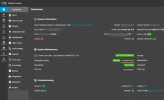
You can view the last backup date on the dashboard.
1755495249123.png


Also doing
Bash:
ls -l
on the receiving system will show you the last update dates of the relevant files.
 
Good Day @KyriacosS_3CX

Thank you for your response
I know that I am able to check there however as we are on-boarding more and more clients it is becoming a task and a half to login to every system and check and see, we schedule most clients to do a backup once a week

I have come to a solution where my system logs onto the FTP Server and checks there

However I remember there being a command from linux that you could run

Reason for this is that I am looking to build a workflow that will automatically log onto the server and check it for us

I hope this makes sense

Kind Regards,


Hi,

You can view the last backup date on the dashboard.
View attachment 48972


Also doing
Bash:
ls -l
on the receiving system will show you the last update dates of the relevant files.
 
If you have shell access it should not be complex to craft a command that gives you the last update date of a file.

We include command line utilities for making and restoring backups, but not something to provide the creation date of a file.
 
Hello fabiomcaldeira,

Did you ever worked with Python ?
Than you could be using the 3CX API to request information about the last good backup.

Here is an example on how to get the information:

Python:
import requests
import json
from datetime import datetime, timezone, timedelta


# Fill these 3 lines with real information
serverFQDN = "{FQDN}:{port}"
userName = "{owner}"
passWord = "{password}"


# Authenticate on 3CX server with Username and Password to get an Access Token
# POST /webclient/api/Login/GetAccessToken
url = "https://" + serverFQDN + "/webclient/api/Login/GetAccessToken"
headers = {"Content-Type": "application/json; charset=utf-8"}
data = {"SecurityCode":"", "Username":userName, "Password":passWord}
response = requests.post(url, headers=headers, json=data)
access_token = response.json() ['Token']['access_token']
#print ("access_token ", access_token)
# Nah, it's all good


# Get datetime of the last GOOD backup
# /SystemStatus
url = "https://" + serverFQDN + "/xapi/v1/SystemStatus"
headers = {"Content-Type": "application/json; charset=utf-8", 'Authorization': 'Bearer ' + access_token}
data = {}
# Here we go...
response = requests.get(url, headers=headers, json=data)

if response.status_code == 200:
    data = response.json()
    last_backup_str = data.get('LastBackupDateTime')

    try:
        if '.' in last_backup_str:
            date_part, time_part = last_backup_str.split('.', 1)
            # Keep only the first 6 digits of the fractional seconds
            fractional_seconds = time_part.split('+')[0][:6]
            timezone_part = time_part[time_part.find('+'):]
            adjusted_time_str = f"{date_part}.{fractional_seconds}{timezone_part}"
        else:
            adjusted_time_str = last_backup_str

        # Parse the adjusted ISO format timestamp
        backup_time = datetime.fromisoformat(adjusted_time_str)

        # Parse the adjusted ISO format timestamp
        dt = datetime.fromisoformat(adjusted_time_str)

        # Get current time with timezone awareness
        current_time = datetime.now(backup_time.tzinfo)

        # Calculate time difference
        time_difference = current_time - backup_time

        # Format into human-readable string
        formatted_time = dt.strftime("%B %d, %Y at %I:%M:%S %p %Z")

        # Check if backup is older than 24 hours
        print ();
        if time_difference > timedelta(hours=24):
            print(f"Last backup time: {formatted_time}")
            print("⚠️  WARNING: Backup is older than 24 hours!")
        else:
            print(f"Last backup time: {formatted_time}")
            print("✅ Backup is recent (less than 24 hours old)")
        print ();

    except (ValueError, AttributeError):
        print("Error parsing timestamp")
else:
    print(f"Request failed with status code: {response.status_code}")

# Okay, it's done!


Create a file like "checkbackup.py", and start this with "python3 checkbackup.py"

The result could be something like this:
Last backup time: September 03, 2025 at 11:02:58 PM UTC+03:00
✅ Backup is recent (less than 24 hours old)


You can use this code to check local the 3CX server status, or to check multiple 3CX servers from one location, where you will need to adopt the code for multiple access.
Would this help?

Paulo