3CX changing values for SIP Trunk Re-Register Timeout

Status
Not open for further replies.

wilekoyote

Bronze Partner
Basic Certified
Joined
Jan 22, 2020
Messages
15
Reaction score
1
Why has 3cx been modifying the timeout settings on updates within the SIP Trunk Options, Re-Register Timeout. We have had several clients who have had their PBX go down because the timeout changed somehow from the setting of 3600 to 600 and now 120. This has caused several of our customers, including a brand new customer, to be very upset. What is causing this? Why is it randomly changing its value? We did nothing and have now turned off Auto-Updates because of it.
 
When the timeout value is modified from 3600, it is re-registering too quickly and the SIP provider then blocks the communication. The only fix I know is to turn off auto-updates which may be what is modifying it, but I don't know what could be modifying it as we did not as their MSP and they certainly did not do it.
 
do you use supported sip provider? set with 3cx template ?
 
No..We had to pick a random provider, I think I chose Bandwidth.com initially, and then made the modifications to it. Our provider is not listed in the group of supported SIP providers.
 
So...when you check the re-registration parameters in the (I assume) generic trunk settings you created for your provider, is the time continuously changing (daily, weekly?) from 3600? Or, does it change only after a 3CX update?
 
Ok so you used a generic template to set your bandwith.com trunk , do you know what is the register timeout expected from your provider?
Is it the one set now ?
if not and you change to the right value, does it change alone ?
No problem with settings validation when a change is done ?

No restoration done with previous backup having old settings?
 
We used bandwidth.com "profile" which is supported by 3cx to set our Generic Trunk with our provider. 3600 is the expected setting for our provider. It is set to that right now. We had this problem with another client the other day as it had a setting of 600. It was after an upgrade. I checked and there was no upgrade this weekend so it must have had the setting prior. I thought I had gone through every one of our clients to make sure the settings were correct after the first client had it set to the timeout that it was. I might have been mistaken though and missed this one.
 
So 3CX doesn't change settings for trunks, even if there was an upgrade and the templates themselves are updated. For that reason whenever there was a change to the template. the recommendation was to either delete and re-add the trunk, or make a 2nd bogus trunk so you could adjust the settings on the production trunk to match. Not saying there couldn't be a bug but historically this has always been the case.
 
Hi @wilekoyote

The templates are designed for specific providers, and if needed those will be updated because they are customized for specific providers. Specifically the one you picked is preset to 120

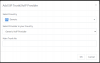
When creating a new trunk you should be using the Generic one (and enter your own settings) since you are not on a specific provider that we build custom templates for:
1600421935539.png

As for pre-existing trunks that were already made from before, we do not change their values, they stay as is. Only newly created trunks will receive the updates settings of each template.
 
Status
Not open for further replies.

Latest Posts

Forum statistics

Threads
111,962
Messages
589,996
Members
164,868
Latest member
swegner