


- Joined
- Mar 6, 2018
- Messages
- 1
- Reaction score
- 0
3CX Click To Call extension to Chrome browser is not working.
It highlights phone numbers and allows to click them, alert about opening the tel protocol appears, but then nothing happens.
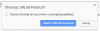
(sorry for the Polish version)
3CX Phone is opened, extension is set to call via 3CX Client.
Protocols like TEL or CALLTO have set default program to 3CX Click To Call.
I've tried to use a lot of different solutions (including changing the registry, and reinstalling extension, browser, 3CX Phone) from this and other forums, and nothing works.
Everything seems to be set fine.
I'm using Chrome 64.0.3282.186, 3CX Phone v15.5, 3CX Phone To Call v10.3 and Windows 7.
It works on other computers with Win7 and Win10, but the alert looks a bit different.
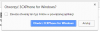
Also it was working on this computer before. We changed 3CX PBX we were using, maybe it's the problem?
It highlights phone numbers and allows to click them, alert about opening the tel protocol appears, but then nothing happens.
(sorry for the Polish version)
3CX Phone is opened, extension is set to call via 3CX Client.
Protocols like TEL or CALLTO have set default program to 3CX Click To Call.
I've tried to use a lot of different solutions (including changing the registry, and reinstalling extension, browser, 3CX Phone) from this and other forums, and nothing works.
Everything seems to be set fine.
I'm using Chrome 64.0.3282.186, 3CX Phone v15.5, 3CX Phone To Call v10.3 and Windows 7.
It works on other computers with Win7 and Win10, but the alert looks a bit different.
Also it was working on this computer before. We changed 3CX PBX we were using, maybe it's the problem?


