3cx in the Cloud with Analog Adapters

Status
Not open for further replies.

jeffgeno

Premier Customer
Joined
Sep 4, 2019
Messages
26
Reaction score
8
Is the lack of support for analog devices on a cloud deployment a technical issue or a design decision?

I'm researching phone system replacements for both our offices and current patchwork of providers for multiple group homes. The office lines are super easy. The group homes are where it gets tricky. Faxing is required at each location and 3cx in the cloud with Grandstream HT devices in each location looked like a great solution. But it looks like I'd have to deploy 3cx on site, which introduces possible VPN overhead issues in addition to the usual power/internet/hardware problems that are lessened in the cloud.

If it's something that's planned, we can hold off and migrate those lines later. But if it just can't be done, we'd have to look into other options.
 
3CX used to offer more support for analogue devices a number of years. Since then, their use has apparently diminished, to the point that maintaining templates, and the testing involved, is no longer worth the time, or so I assume. Voip faxing is always hit or miss, which is why it is not offiocially supported off site unless you go the VPN route, which if you install in the cloud, you will probably have to consider. Others seem have managed to work it using "alternative methods", if you do a search of the forum. However, everyones installation is going to have different variables, and so different results/reliability.
 
  • Like
Reactions: Evolute IT
Unfortunately, ATA adapters as well as FXO gateways are not supported in Cloud scenario because of the latency issue with the Internet. Those device are extremely latency-dependant specially when doing fax. By the way, FAX extensions can only register locally so don't even try using STUN or SBC.

For your scenario, the best possible way is to deploy the 3CX in the Cloud and then use VPNs to link your remote sites to that instance. Most cloud providers have VPN connections.

Yes, the VPN is still going through Internet so there is a latency but it is reduced, and it allows ATAs to connect. I've done this before and it works.

Best possible course of action is (IMO):
  1. Run your PBX in the Cloud
  2. Use SBCs at remote sites for the regular deskphones
  3. Connect your ATAs to your SIP provider directly. This way, you remove a point of failure and some providers do support this setup. For fax, it's better this way.
 
Thanks, all. It seems like the best course of action would be to try to eliminate physical fax machines entirely and try to train the staff to use electronic faxing services.
 
  • Like
Reactions: Evolute IT
Thanks, all. It seems like the best course of action would be to try to eliminate physical fax machines entirely and try to train the staff to use electronic faxing services.
A lot of providers support Fax2Email and Email2Fax. This is surely even better than using an ATA!
 
  • Like
Reactions: AWS2P
or keep dedicated land line , very often this is the best to do, this also very stable, works even when no power, or no internet connection, so old system was not so bad at all for lots of use like for rescue lines in lifts or alarm systems, or M to M use.
 
  • Like
Reactions: Evolute IT
or keep dedicated land line , very often this is the best to do, this also very stable, works even when no power,

But..if it is for fax service, then the fax machine itself might have a bit of an issue, with no power. Still it is best to use a PSTN line locally if possible, and they insist on using a machine.

Unfortunately, ATA adapters as well as FXO gateways are not supported in Cloud scenario because of the latency issue with the Internet. Those device are extremely latency-dependant specially when doing fax.

I certainly agree that when using an ATA for fax service, in a cloud hosted situation, then latency, amongst other things can be an issue. However, using an ATA for voice services will not have any more problems, because of latency than a VoIP set. In other words, if latency is causing problems at a site, then all devices at that location are going to suffer, not just ATAs.
 
  • Like
Reactions: Evolute IT
You are right Leejor, with no power , fax machines stops too, but Land line is always there and you can call and be called without a problem, this is not so easy on sip side, you need so much things to prevent all situation that can break everything.
in future years I don't know what will happens if major problems overcomes, perhaps we will face a global telecom blackout , each system has forces and weaknesses.

Sip today is a mature technology but on this forum we can talk all day long about problems, so even in a managed world , SIP solution stay more fragile than PSTN line or ISDN were , SIP is not strong enough compare to this 2 old technology
 
  • Like
Reactions: Evolute IT
  • Like
Reactions: Evolute IT
I use pattons across the cloud. The provisioning wont work because 3cx wont push a default gateway. Once you add a default gateway to the patton it works fine. Forward your ports to the device as you need. They also work completely fine from cloud over a VPN, but again you need to create a route. Not sure about other manufactures.
 
  • Like
Reactions: Evolute IT
If you are talking about FXS analogue (and since you mention FAX it can only mean you are) but for FXS endpoints such as analogue then although un-supported they are less sensitive to STUN and SBC setup (although I still would not recommend it despite doing it myself).

FAX however I would not recommend even attempting (again I have done this myself with success) but it was a hard slog and included having to manually tweak gateway and FAX machine settings.

FAX is sensitive to delay, delay is added when crossing networks and network WAN's and the SBC/STUN add this and thus delay. This then causes delay in the FAX transmission which will cause your FAX to fail.

Go with a VPN setup (we do this all the time so I am not sure what the issue is) or just simply convert to an online FAX service if it is not a legal requirement that they need to use old style FAX.

Patton is a definite recommendation of mine over other gateway types - great devices, great support!
 
  • Like
Reactions: Evolute IT
To answer your original question, it's a bit of both plus the fact that the world is moving away from analog and towards IP-based unified communications. Faxing needs as least latency as possible to lessen any factors that would cause an issue. Please note that the system allows you to have an incoming FAX to email https://www.3cx.com/docs/manual/fax-server/
 
  • Like
Reactions: Evolute IT
To answer your original question, it's a bit of both plus the fact that the world is moving away from analog and towards IP-based unified communications. Faxing needs as least latency as possible to lessen any factors that would cause an issue. Please note that the system allows you to have an incoming FAX to email https://www.3cx.com/docs/manual/fax-server/

Thanks for the info. I've looked at the fax to email, but that only supports one number as far as I can see. We have about 25 fax machines in the organization spread around 22 locations. A separate fax service is probably going to be required.

Simple fax to email won't work because of medical data in the faxes. The email would have to stay on our system (3cx works here) or simply be an alert to pick up the fax from a secure website. It's going to require user training, but it's probably worth it since they send literally 10 faxes a month from most of these. Running a $60/mo analog line just for that is a waste.
 
Take note however that the system supports inbound FAX to email, if you want to use your FAX machines for in/outbound FAX you must use an FXS gateway (have not had great success with ATA's).
 
  • Like
Reactions: Evolute IT
There are a number of VoIP providers that do support ATAs for faxing, registered directly to them. In this case they would probably be more responsive to any issues that arise (they have a hand in provisioning the ATA). Probably a lot less than $60 a month, especially if you choose a measured service, given the low usage.
 
Thanks for the info. I've looked at the fax to email, but that only supports one number as far as I can see. We have about 25 fax machines in the organization spread around 22 locations. A separate fax service is probably going to be required.

Simple fax to email won't work because of medical data in the faxes. The email would have to stay on our system (3cx works here) or simply be an alert to pick up the fax from a secure website. It's going to require user training, but it's probably worth it since they send literally 10 faxes a month from most of these. Running a $60/mo analog line just for that is a waste.

Actually... 3CX has no limit on the number of fax numbers that can be added for inbound faxing. Simply point whatever number you want at the 888 extension (or whatever you have set it to) in the inbound rules.

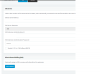
Likely you are seeing this and you can also see that you can add as many DIDs as you want under the blue button, but only 1 email address.
12233

If you want multiple email addresses, the way you accomplish this is by using extensions....

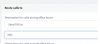
Simply change the inbound rule as follows:
12234
make dummy extensions for email addresses as needed.


For outbound digital faxing... i'll just leave this here:
https://www.altn.com/Products/RelayFax-Network-Fax-Manager/
https://www.3cx.com/blog/docs/relayfax-virtual-fax/ (from 2011, but general concepts are the same)
 
@jeffgeno

For your scenario we would only do one of two things. Insist on keeping a POTS line or have you use one of our fax ATAs (outside of 3CX). It does a 'store and forward' so the fax communication isn't SIP and won't be affected internet quality. The adapter + service is cheaper than a $60/month POTS line.
 
Status
Not open for further replies.

Forum statistics

Threads
111,933
Messages
589,812
Members
164,808
Latest member
jsbjsb