3cx management console password reset

Status
Not open for further replies.

Smartway

Customer
Joined
Sep 25, 2019
Messages
23
Reaction score
1
I am using 3CX express on Azure . how can I reset my 3CX management console password
 
Very easy,

Settings - Security Settings - Admin Credentials
 
I use the one provided by 3CX but I cannot login.
 
the one given at end of PBXpress install?
if this sure you input password with no syntax error, then it should go, otherwise try from another location with another IP if yours has been blacklisted with too much failed tries.
 
I do think it has been black listed by now.
 
so try from another device with another IP it should go and once connected in MC delete blacklisted IP
 
still cant login from any pc
 
If you type the password incorrect three times, if gives you to option to reset it via an email.
 
did not give me any option to reset
 
Do you have shell access to the VM, and is it linux or windows?
 
yes I do have access to the vm
 
still cant login from any pc

But if it's any PC on the same network then typically they are all coming from the same IP address so. You need to try from a PC on a different network.
 
Hi Smartway,

Connect from your mobile phone, using the 4G connection (not wifi).

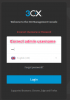
Enter admin username and password correctly. If this fails, the second attempt will give you "Forgot Password?" option, but only if using correct admin username

12438
 
  • Like
Reactions: Andy P
Status
Not open for further replies.

Latest Posts

Forum statistics

Threads
111,933
Messages
589,817
Members
164,810
Latest member
astrobalaji