3CX Personnal phonebook with many contacts folders

Status
Not open for further replies.

revvyy

Forum User
Intermediate Cert.
Joined
Jun 18, 2019
Messages
4
Reaction score
0
Dear 3CX Team,
Dear 3CX Community,

We've an enterprise licence with nearly, every features available and used.
I've just configured the possibility of using the personnal phonebook (Contacts -> Exchange) and it's working like a charm !

But now, everyone on our board of directors has multiple personnal contacts folders shared or not and want all of them to be sync with their 3CX app.

I was wondering if we could actually Sync them automatically as the original ''Contacts'' folder wich works ?

And if so, would it be all of them or adjustable from one to another folder ?

Thanks in advance,

Best Regards,
 
Hi revvyy

For personal contacts it will sync everything (in the personal contacts root folder), its not like company contacts where you select a specific subfolder.
 
Last edited:
Hi revvyy

For personal contacts it will sync everything, its not like company contacts where you select a specific folder.

Dear John,

Thanks for the answer, but unfortunatly, it syncs only the ''Contact'' folder on the personal account and not the others (like i would create a new folder named ''X'' inside Contact folder, it will not sync contacts in it.

Do you have any ideas ?

Thank you very much !
 
I dont think that can be done, Exchange sends everything in the personal contacts. You will have to have all the contacts under the main category in Personal Contacts
 
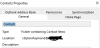
So here is the original ''Contacts'' folder, with this one, it works perfectly.

12275

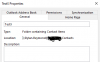
But i've created a new folder inside it under contacts and it doesn't show the contacts inside it.

12276

Does your answer applies to this case as well ?

Thank you for your fast answers john !
Best Regards,
 
So basically, whatever is in the main contacts (pic 1) is sent to 3CX

Anything that exists in additional subfolders (pic 2) is not sent, so the user will not see it
 
So basically, whatever is in the main contacts (pic 1) is sent to 3CX

Anything that exists in additional subfolders (pic 2) is not sent, so the user will not see it

Thank you John

Final question, is it possible to change it ?

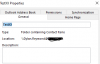
I also made a new version called TestXX wich doesn't work as well but i've placed it under root category as a contacts folder. (see bellow)

12277

Shouldn't it be working ?

Have a good afternoon !

Best Regards,
 
Hi revvyy

You can't change it. Personal contacts will take whatever is in the root contacts of the user.

I would recommend to the user move the contacts they want to see in 3CX under the root folder, and keep the rest under the sub folders
 
Status
Not open for further replies.

Forum statistics

Threads
111,933
Messages
589,813
Members
164,808
Latest member
jsbjsb