- Joined
- Feb 3, 2021
- Messages
- 4
- Reaction score
- 0
Hi all,
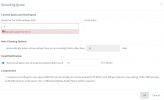
Recently found an issue with the recordings quota not being able to be set higher than the size of the boot drive.
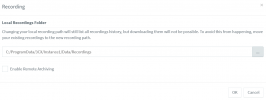
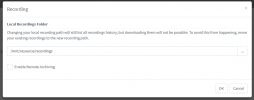
We have a Linux VM hosting an instance with a separate 1tb drive mounted for the call recordings.
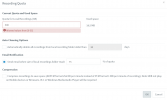
Recordings are going to the 1tb volume but when trying to increase the call recordings Quota setting, it's giving an error "Allowed values from [0-97]" which is the size of the boot partition.
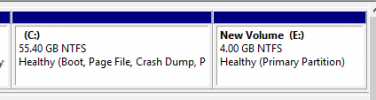
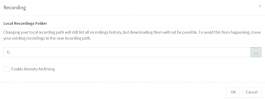
Confirmed this on a windows hosted VM too that has a 126gb boot drive. The message is displayed as [0-126].
Questions
If I set the Quota to 0 will this effectivly disable the quota and just fill the disk or will it delete the recordings ? I can't find any clear info on this.
Can the bug be fixed where it realizes the call recording destination has a larger drive and allow full use setting.
Recently found an issue with the recordings quota not being able to be set higher than the size of the boot drive.
We have a Linux VM hosting an instance with a separate 1tb drive mounted for the call recordings.
Recordings are going to the 1tb volume but when trying to increase the call recordings Quota setting, it's giving an error "Allowed values from [0-97]" which is the size of the boot partition.
Confirmed this on a windows hosted VM too that has a 126gb boot drive. The message is displayed as [0-126].
Questions
If I set the Quota to 0 will this effectivly disable the quota and just fill the disk or will it delete the recordings ? I can't find any clear info on this.
Can the bug be fixed where it realizes the call recording destination has a larger drive and allow full use setting.