3cx version 11 running on 2012r2 server ??

Status
Not open for further replies.

egiblockDM

Joined
Apr 22, 2013
Messages
39
Reaction score
0
Is anyone out there running 3cx version 11 on a 2012r2 windows server?

Any issues with it?
 
thanks..

after I posted that message we ended up moving the v11 to the 2012r2 machine. this is due to an audio issue that we have been trying to track down, but the change in OS didn't fix the problem. The only suggestion from support is that we upgrade to v12, which might be just around the corner.
 
What kind of audio issues are you having?
Is it a virtual setup?
If the issue is with outside calls are you using SIP trunking or a gateway device?
 
long story short. here's what we sent to support. their response is to upgrade to version 12 to further troubleshoot the issue.

Problem Description:
Audio is coming into the 3CX server without issue on both the SIP provider Leg of the Call and the local extension leg of the call. However as can be seen in a packet capture the audio is Choppy leaving the 3CX server, this can happen on either leg of the call. Note this issue is intermittent however it happens on a large number of calls each day.

Example- The audio is good coming from the SIP provider to the 3CX server, however the audio leaving the server destined to the handset is choppy (as captured from the 3CX server)

Packet Capture findings:
They audio leaving the 3CX server with the while the issue is occurring does not report any missing or out of sequence RTP packets. Wireshark reports the expected number of RTP packets for the call and shows no issues with its RTP analysis. This is because there are no missing RTP packets, the problem is that RTP packets are empty (containing no audio data) when they should be. You can see the evidence of this on the RTP player with chunks missing from the audio stream graph.

Media server Trace Log findings:
While looking at the media server trace log specific line seems to continually come up on all calls that experience this issue, calls that do not experience this issue do not show this line or do not show it the number of times that problem calls do.

10:11:15.804|MSEndPoint.cpp(3682)|Debug2||??:[email protected]:5482(shift toMix) avgJitter=7965 current=8016

Findings confirmation
If you open the media server Trace log and find any line with the “(shift toMix) avgJitter=7965 current=8016” error then pull the endpoint ID “[email protected]:5482” you will then be able to find the call ID number by searching for the following line “[email protected]:5482 joined to call [email protected]” With the Call ID of 59 you will be able to go into the 3CX server activity log and filter by Call ID number 59. With this you can pull the packet capture and verify the issue on the call. You will find any call with the “shift to Mix error will have audio issues” I verified calls without audio issues do not have this error.
 
Yikes! Just about lost me there :)
So is this a virtual system?

What brand/model phones are you using?
 
virtual system. multitenant v11.
2012r2 host
2012r2 guest

grandstream phones 2100 and 2200

the 3cx system destroys the audio as it leaves. we've figured out that it's something with the timing and jitter
 
Since it is multi tenant I take it the phones are not all local to the system?
As a test for 2 local phones on there settings/Options. check PBX delivers audio and try calling between the two extensions and see the same issue exists. In this setup the RTP stream would be going through 3CX instead of directly between the devices.

The issue you are describing we have ran into a few times before. It has always come down to an issue with the virtaul setup. In our case being VMware and how VMware in handling multiple CPU cores and the timing.

Do you by chance have a physical system available that you could try putting the system on directly without HyperV. I know the end results you want hyperV for backup and failover or what not but just as a test to rule it one way or the other?
 
we went from a physical standalone system to the hyper-v system after numerous tweaks and testing. yes, you are correct on the setup as there are both internal phones and external locations that connect to the system.

other things we have looked at are the BIOS of the host server (HP DL360g5)

this is the current config of various items in the bios. let me know if anything, you think, should be changed.
----------------
2 Processors: Intel Xeon 2.33ghz/1.3

Advanced Memory Protection: Advanced ECC Support

Power Regulator for ProLiant: HP Static High Performance Mode

MPS Table Mode: Full Table APIC
ROM Selection: Use Current ROM
PCI Bus Padding Options: Enabled

Processor Options:

HW Prefetcer: Enabled
Adjacent Sector Prefetch: Enabled
No-Execute Memory Protection: Enabled
Intel VT: Enabled
Expansion Card Caching Optimization: Disabled
Low Power Halt State (Intel C1E): Enabled
Intel Core C3 State: Disabled
 
Aww that was the next question i was going to ask you was what generation if a HP server. We have had most of our issues on the older servers G5/G6.
How many CPU codes do you have in the 3CX VM? If multiple try lowering it to a single core at the same time on the resource control for that CPU coreset reservation to 100%
In VMware this would be CPU affinity but setting a CPU core reservation to 100% in HyperV would be comparable.

What we found in our setups on these older servers is that since the RTP stream is being processed through the 3CX system having multiple CPU cores somehow throws off the CPU timing which makes random empty RTP packets. Looking at a wireshark you could see missing audio all over the place.

By setting it to 1 CPU core reserving that core 100% to the VM it cleared up most if not all the audio issues we saw. This all being specific to a virtual setup.
 
That's exactly what we are running into with empty rtp packets.
 
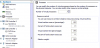
i've adjusted the settings. we'll see what happens tomorrow.
 

Attachments

  • pod vm task.PNG
    pod vm task.PNG
    71 KB · Views: 1,727
  • pod vm.PNG
    pod vm.PNG
    73.9 KB · Views: 1,727
Perfect!
Let me know how it goes.
 
Was there any update on this?
DId adjusting those settings help?
 
So far. Knock on Wood. No reported issues related to rhe audio problems we were having...
 
Was there anything else you changed or was setting the CPU stuff looked to have been the trick?
 
all i changed was the CPU setting thus far.. we are going on day 5 of no issues reported. It's amazing that it fixed it, while 3CX support only wanted us to upgrade to version 12 for troubleshooting. Looking back at it now, that wouldn't have fixed the issue anyways.
 
:) Like I said I have seen this issue a number of times on the older servers, yours being a G5 it is getting up there in age.
On all the new Gen8 and now Gen9 servers we haven't seen these issue at all. Better CPUs built for virtual.

Good to hear that things are working better!
 
tsukraw said:
Was there any update on this?
DId adjusting those settings help?

issues arose again last week and we are back to experiencing audio loss (one way audio) and choppy audio.

any ideas ?
 
Status
Not open for further replies.

Members Online Now

No members online now.

Forum statistics

Threads
111,835
Messages
589,289
Members
164,666
Latest member
infinititravels