Answering calls on other extensions

Status
Not open for further replies.
Good to know on the permissions. The rights are currently setup correctly. I did take a look at the BLF setup and noticed that the BLF keys are setup as 'Speed Dial'. Should they be changed to 'BLF' or 'Line Key'? If so, what are the differences between these keys?
 
Speed dials are not monitoring other extensions. You can use them from dialling commonly used numbers easily. If you want the keys to light up when the monitored extensions are on call then you need to change them to BLFs. Line keys give you extra lines to make multiple calls.
 
At this point, I have converted the Speed Dial shortcuts to BLF shortcuts. I was able to go onsite and test this issue. When a call comes in to the reception phone, the BLF key flashes red on the users phone (the one we are trying to have pick up the reception calls). While the reception phone rings, i am able to press the BLF key. Once that is done, the users phone shows *21000 (where 1000 is the reception extension) and the reception phone stops ringing. However, the users phone still doesn't answer the line, and the call goes to voicemail. Are there any other settings I should check for? Are the any buttons I will need to press once I have pushed the BLF key and the dial code shows up on the screen?
 
Why do you use * 2 , default pickup prefix is * 20 * , so your BLF should send * 20 * to pickup the call, no need to add extension where the call is coming from

default settings on 3CX
11257
 
The previous IT technician changed the dial code to 2. I tried both * 2 and * 20 and neither of those do anything (unless there is a button I need to press after typing in * 2). When I press the BLF for the reception phone, it shows * 21000 on the screen (1000 being the extension number), the reception phone quits ringing, but the users phone does not pickup the call and it goes to voicemail.
 
So the technician changed it from 20 to just 2 or *2? Anyways I'd change it back to 20, restart the services and then test it way it was designed.
 
I don't understand why is it so hard for you to have this working with no pain.

have tested once more on demo PBX, it works like a charm (I use default dial code * 20 *)
Have set a pick up button on a snom 715
11267

reprovisionned phone after button added
do an incoming call on trunk once operator phone is ringing, I press on third button I set on my Snom 715 and call is instantly picked up rerouted to Snom 715.

Nothing else, so easy I don't understand why on yours is so painful to do the same.
 
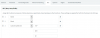
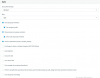
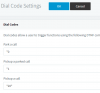
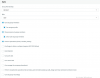
I'm just as puzzled. Here is what we currently have. The dial code is *20. The user has a BLF key setup for the reception extension. That BLF flashes when the reception phone rings. When the user presses the BLF key, the dial code and extension, *201000 (previously *21000 before I changed the dial code) appears on the screen. The reception phone ceases ringing however, the users phone does not answer the call and the call goes to Voicemail. I have attached pictures of the Call Log showing the user dial *20, the rights on the user extension, the BLF key settings, and the dial code setting. 11486114871148511488

Do these look right? Is there a setting that needs to be changed?
 

Attachments

  • Permissions.PNG
    Permissions.PNG
    68.6 KB · Views: 4
  • Pickup a Call Setting.PNG
    Pickup a Call Setting.PNG
    3.4 KB · Views: 3
Something doesn't look right in the call log, in the TO column we see *20 instead of the name of the extension that picked up the call

Can you confirm that the phones have been reset and reprovisioned with the latest default 3CX templates? The BLF setting on the phone that picks up the call seems correct but im not sure if the provisioning is right currently.
 
Maybe the previous technician just fcked up your installation :rolleyes:
 
When you say the default templates, what are you referring to? Should I just reset and reprovision the phones, or are there other settings I need to change?
 
Hi Josh

Your management console PBX Status box will show a red warning on the "Phones" if you are using custom templates.

Can you tell me please the following?

Phone model and exact firmware
PBX Exact Version as appears in the information box:11524
 
The PXB license and version number is 16.0.0.1581 and Professional Perpetual.
Here are the phones:
11549
 

Attachments

  • Phones.PNG
    Phones.PNG
    26.3 KB · Views: 1
Your firmwares aren't supported, upgrade them first
 
Since you are on PBX V16 you can also update to service pack 2 which has already been released.

Please install the latest supported firmware first from https://www.3cx.com/support/phone-firmwares/

You may also have phone template updates (they will appear in the updates section as soon as you click on it). Restart the management console service too in case you have new templates to be updated.

When everything is updated as above, reset and reprovision two phones and try to pickup a call from one while the other is ringing with an incoming call
 
Status
Not open for further replies.

Latest Posts

Forum statistics

Threads
111,932
Messages
589,805
Members
164,804
Latest member
fcentral