- Joined
- Nov 13, 2013
- Messages
- 22
- Reaction score
- 2
We recently updated to 3CX version 16.0.493 on Linux using the default ISO.
With the newest version in place we want to set up the backups to write to an network location.
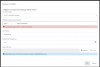
Unfortunately we cannot set up the network locations. When adding an SMB location we are receiving the error: Cannot connect to SMB and when adding an SFTP location the error is: Cannot connect to SFTP - SSH File Transfer
We are using an Synology NAS and we can successfully connect through fileZilla to the FTP location.
The location we've put in is: sftp://IpOfNas:9022/3cxBackup
We also tried FTP as an test, but that gives nearly the same error.
is there anything else we need to set up or is there something wrong?
Regards,
Johan de Zwaan
With the newest version in place we want to set up the backups to write to an network location.
Unfortunately we cannot set up the network locations. When adding an SMB location we are receiving the error: Cannot connect to SMB and when adding an SFTP location the error is: Cannot connect to SFTP - SSH File Transfer
We are using an Synology NAS and we can successfully connect through fileZilla to the FTP location.
The location we've put in is: sftp://IpOfNas:9022/3cxBackup
We also tried FTP as an test, but that gives nearly the same error.
is there anything else we need to set up or is there something wrong?
Regards,
Johan de Zwaan