call flow call flow toggle control day/night day/night

Status
Not open for further replies.

ronenba

Bronze Partner
Basic Certified
Joined
Nov 16, 2022
Messages
191
Reaction score
8
looking to create a day/night button toggle control

During the day I need the calls to ring n a group and at night (example *280) answer by extension 500 and we can forward all calls from this extension to a cell phone

I could not find the option for call flow , or toggle from day/night (Not looking to use IVR)
 
Hello @ronenba,

Please note that CFD (Call Flow Designer) is not available with the Hosted version of 3CX.

Regarding your specific question and since you only need 2 scenarios, you can configure this using Office and Out of Office Hours.
You can configure this from Dashboard -> Settings -> Language & Office Hours:
Configure your Office Hours accordingly for each day of the Week including the Break times (if you need).

Then go to dashboard -> inbound Rules and set the Call during office hours to ring the Ring Group and Destination for Calls outside office hours set to an extension that is set to forward calls to an external number when busy or unregistered (if this extension is not in use) or directly from the inbound rule set destination for calls outside of office hours to be an external number and ensure that you have an outbound rule to process calls direct from the system.

I hope this helps.
 
  • Like
Reactions: Evolute IT
I understand thank you, I am looking to migrate a few of my customers from freepbx to 3CX

On freepbx it is very simple callflow and it is done

Trying to understand if 3CX support it ( I believe it is as it is a basic requirement)

If I need to change my pbx to something else to turn this option on/off I would if I knew

It must be a way to turn on/off day/night and once it is in night all calls being forwarded to answering services company or a cell phone

Is it an option with Ing 3CX ?
 
Hello @ronenba,

There is an option where you can toggle Office Hours on /Off using dial codes from any Phone registered in your PBX.

You can configure that from dashboard -> Settings -> Dial Codes-> Force 3CX Phone System to IN or OUT of Office.
You can set a dial code ex.*64 and using:
*641 you can set it to in Office Hours
*642 out of Office hours
*640 to set the System to Default Office Hours.

Please keep in mind that if you set the Phone System to Out Of Office Hours using the dial code, you need to set it back to default or to In Office Hours using the Dial Code again or the System will remain to Out of Office Hours (It want change automatically).
 
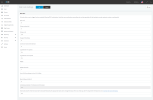
Thank you but I do not see options for -> Force 3CX Phone System to IN or OUT of Office


Also will it change the all pbx day/night or only 1 extension we dialing from?


Please advise
 

Attachments

  • screencapture-doormaster-my3cx-ca-2023-01-11-10_12_58.png
    screencapture-doormaster-my3cx-ca-2023-01-11-10_12_58.png
    106.2 KB · Views: 24
Thank you but I do not see options for -> Force 3CX Phone System to IN or OUT of Office


Also will it change the all pbx day/night or only 1 extension we dialing from?


Please advise
4th from the bottom
 
  • Like
Reactions: VoIPTools
found it thank you, I set up office hours and *64

it is working having an issue as I am trying to setup in the day time to ring group (working) and at night to forward to an external number that doesn't work (need to be able to login to the extension and be able to change the external number)
 
Status
Not open for further replies.

Forum statistics

Threads
111,973
Messages
590,070
Members
164,890
Latest member
James Hacker