


- Joined
- Aug 26, 2011
- Messages
- 4
- Reaction score
- 0
We have 3CX Assistance:
Installed version 9.0.15770.0
Executed version 9.0.0.15723
And 3CX Phone 5.0.14900.0
With 3CX CRM add-in for Outlook 2010 installed, we have 3CX tab shows up when we select contact in Outlook. When we check 3CX Assistance > File -> CRM Settings, the CRM plug-in is running OK.
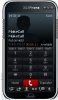
However, when we try to use 3CX tab > Call Mobile to call contact (e.g. 0412341234), the 3CX Phone will pop up, but it shows:
MakeCall
MakeCall
Put on Hold
And it never go through to ring the number. just like below:

If you check the sip server log, here is the trace:
16:30:27.034 [CM503008]: Call(2550): Call is terminated
16:30:18.033 Currently active calls - 1: [2550]
16:30:09.483 [CM505003]: Provider:[mynetfone-sip] Device info: Device Not Identified: User Agent not matched; Capabilities:[reinvite, replaces, able-no-sdp, recvonly] UserAgent: [ENSR3.0.6] PBX contact: [sip:[email protected]:5060]
16:30:09.483 [CM503002]: Call(2550): Alerting sip:[email protected]:5060
16:30:09.109 [CM503025]: Call(2550): Calling VoIPline:0412341234@(Ln.10003@mynetfone-sip)@[Dev:sip:[email protected]:5060]
16:30:09.031 [CM503004]: Call(2550): Route 2: VoIPline:0412341234@(Ln.10005@mynetfone-sip01)@[Dev:sip:[email protected]:5060]
16:30:09.031 [CM503004]: Call(2550): Route 1: VoIPline:0412341234@(Ln.10003@mynetfone-sip)@[Dev:sip:[email protected]:5060]
16:30:09.015 [CM503010]: Making route(s) to <sip:[email protected]:5060>
16:30:08.110 [CM503007]: Call(2550): Device joined: sip:[email protected]:2048;line=rhq2e9it
16:30:08.110 [CM503007]: Call(2550): Device joined: sip:[email protected]:40600;rinstance=51917c28224e6cbf
16:30:07.939 [CM505001]: Ext.6116: Device info: Device Identified: [Man: Snom;Mod: 3xx series;Rev: General] Capabilities:[reinvite, replaces, able-no-sdp, recvonly] UserAgent: [snom300/7.1.8] PBX contact: [sip:[email protected]:5060]
16:30:07.939 [CM503002]: Call(2550): Alerting sip:[email protected]:2048;line=rhq2e9it
16:30:07.814 [CM503025]: Call(2550): Calling Ext:Int.6116@[Dev:sip:[email protected]:2048;line=rhq2e9it]
16:30:07.720 [CM503004]: Call(2550): Route 1: Ext:Int.6116@[Dev:sip:[email protected]:2048;line=rhq2e9it]
16:30:07.720 [CM503010]: Making route(s) to <sip:*[email protected]:5060;nofwd=1>
16:30:07.720 [CM505001]: Ext.MakeCall: Device info: Device Identified: [Man: 3CX Ltd.;Mod: 3CX MakeCall Helper;Rev: 1] Capabilities:[reinvite, replaces, able-no-sdp, recvonly] UserAgent: [3CX MakeCall helper] PBX contact: [sip:[email protected]:5060]
16:30:07.720 [CM503001]: Call(2550): Incoming call from Ext.MakeCall to <sip:*[email protected]:5060;nofwd=1>
While if we dial up directly from 3CX phone, it can go through with no problem. And here is the trace for this:
17:01:14.095 [CM503008]: Call(2551): Call is terminated
17:01:07.979 [CM505003]: Provider:[mynetfone-sip] Device info: Device Not Identified: User Agent not matched; Capabilities:[reinvite, replaces, able-no-sdp, recvonly] UserAgent: [ENSR3.0.6] PBX contact: [sip:[email protected]:5060]
17:01:07.979 [CM503002]: Call(2551): Alerting sip:[email protected]:5060
17:01:07.636 [CM503025]: Call(2551): Calling VoIPline:0412341234@(Ln.10003@mynetfone-sip)@[Dev:sip:[email protected]:5060]
17:01:03.798 [CM503004]: Call(2551): Route 2: VoIPline:0412341234@(Ln.10005@mynetfone-sip01)@[Dev:sip:[email protected]:5060]
17:01:03.798 [CM503004]: Call(2551): Route 1: VoIPline:0412341234@(Ln.10003@mynetfone-sip)@[Dev:sip:[email protected]:5060]
17:01:03.783 [CM503010]: Making route(s) to <sip:[email protected]:5060>
17:01:03.783 [CM505001]: Ext.6116: Device info: Device Not Identified: User Agent not matched; Capabilities:[reinvite, replaces, able-no-sdp, recvonly] UserAgent: [3CXPhone 5.0.14900.0] PBX contact: [sip:[email protected]:5060]
17:01:03.767 [CM503001]: Call(2551): Incoming call from Ext.6116 to <sip:[email protected]:5060>
So it seems like when dial from Outlook, after two routes, it goes to the dialed number at local IP (127.0.0.1) like below:
Making route(s) to <sip:[email protected]:5060>
Rather than the correct SIP server IP address .
Appreciate anyone can help on this issue.
Installed version 9.0.15770.0
Executed version 9.0.0.15723
And 3CX Phone 5.0.14900.0
With 3CX CRM add-in for Outlook 2010 installed, we have 3CX tab shows up when we select contact in Outlook. When we check 3CX Assistance > File -> CRM Settings, the CRM plug-in is running OK.
However, when we try to use 3CX tab > Call Mobile to call contact (e.g. 0412341234), the 3CX Phone will pop up, but it shows:
MakeCall
MakeCall
Put on Hold
And it never go through to ring the number. just like below:
If you check the sip server log, here is the trace:
16:30:27.034 [CM503008]: Call(2550): Call is terminated
16:30:18.033 Currently active calls - 1: [2550]
16:30:09.483 [CM505003]: Provider:[mynetfone-sip] Device info: Device Not Identified: User Agent not matched; Capabilities:[reinvite, replaces, able-no-sdp, recvonly] UserAgent: [ENSR3.0.6] PBX contact: [sip:[email protected]:5060]
16:30:09.483 [CM503002]: Call(2550): Alerting sip:[email protected]:5060
16:30:09.109 [CM503025]: Call(2550): Calling VoIPline:0412341234@(Ln.10003@mynetfone-sip)@[Dev:sip:[email protected]:5060]
16:30:09.031 [CM503004]: Call(2550): Route 2: VoIPline:0412341234@(Ln.10005@mynetfone-sip01)@[Dev:sip:[email protected]:5060]
16:30:09.031 [CM503004]: Call(2550): Route 1: VoIPline:0412341234@(Ln.10003@mynetfone-sip)@[Dev:sip:[email protected]:5060]
16:30:09.015 [CM503010]: Making route(s) to <sip:[email protected]:5060>
16:30:08.110 [CM503007]: Call(2550): Device joined: sip:[email protected]:2048;line=rhq2e9it
16:30:08.110 [CM503007]: Call(2550): Device joined: sip:[email protected]:40600;rinstance=51917c28224e6cbf
16:30:07.939 [CM505001]: Ext.6116: Device info: Device Identified: [Man: Snom;Mod: 3xx series;Rev: General] Capabilities:[reinvite, replaces, able-no-sdp, recvonly] UserAgent: [snom300/7.1.8] PBX contact: [sip:[email protected]:5060]
16:30:07.939 [CM503002]: Call(2550): Alerting sip:[email protected]:2048;line=rhq2e9it
16:30:07.814 [CM503025]: Call(2550): Calling Ext:Int.6116@[Dev:sip:[email protected]:2048;line=rhq2e9it]
16:30:07.720 [CM503004]: Call(2550): Route 1: Ext:Int.6116@[Dev:sip:[email protected]:2048;line=rhq2e9it]
16:30:07.720 [CM503010]: Making route(s) to <sip:*[email protected]:5060;nofwd=1>
16:30:07.720 [CM505001]: Ext.MakeCall: Device info: Device Identified: [Man: 3CX Ltd.;Mod: 3CX MakeCall Helper;Rev: 1] Capabilities:[reinvite, replaces, able-no-sdp, recvonly] UserAgent: [3CX MakeCall helper] PBX contact: [sip:[email protected]:5060]
16:30:07.720 [CM503001]: Call(2550): Incoming call from Ext.MakeCall to <sip:*[email protected]:5060;nofwd=1>
While if we dial up directly from 3CX phone, it can go through with no problem. And here is the trace for this:
17:01:14.095 [CM503008]: Call(2551): Call is terminated
17:01:07.979 [CM505003]: Provider:[mynetfone-sip] Device info: Device Not Identified: User Agent not matched; Capabilities:[reinvite, replaces, able-no-sdp, recvonly] UserAgent: [ENSR3.0.6] PBX contact: [sip:[email protected]:5060]
17:01:07.979 [CM503002]: Call(2551): Alerting sip:[email protected]:5060
17:01:07.636 [CM503025]: Call(2551): Calling VoIPline:0412341234@(Ln.10003@mynetfone-sip)@[Dev:sip:[email protected]:5060]
17:01:03.798 [CM503004]: Call(2551): Route 2: VoIPline:0412341234@(Ln.10005@mynetfone-sip01)@[Dev:sip:[email protected]:5060]
17:01:03.798 [CM503004]: Call(2551): Route 1: VoIPline:0412341234@(Ln.10003@mynetfone-sip)@[Dev:sip:[email protected]:5060]
17:01:03.783 [CM503010]: Making route(s) to <sip:[email protected]:5060>
17:01:03.783 [CM505001]: Ext.6116: Device info: Device Not Identified: User Agent not matched; Capabilities:[reinvite, replaces, able-no-sdp, recvonly] UserAgent: [3CXPhone 5.0.14900.0] PBX contact: [sip:[email protected]:5060]
17:01:03.767 [CM503001]: Call(2551): Incoming call from Ext.6116 to <sip:[email protected]:5060>
So it seems like when dial from Outlook, after two routes, it goes to the dialed number at local IP (127.0.0.1) like below:
Making route(s) to <sip:[email protected]:5060>
Rather than the correct SIP server IP address .
Appreciate anyone can help on this issue.
Attachments
Last edited by a moderator:


