Call Recording Archival

Status
Not open for further replies.

mnat

Platinum Partner
Intermediate Cert.
Joined
Apr 28, 2023
Messages
1
Reaction score
0
I have a customer that has 3CX system on Amazon Lightsail. They save all their recorded calls which becomes a storage quota issue. I'm looking for a way to archive and save their calls so it doesn't max out their lightsail storage limit.
Thanks
 
Look at the recordings page, under Location.

There's an archive feature already there.
 
We can also help with our 3CX Recording Manager tool. We provide real-time archiving, and separate retention policies for both the original recordings and archived recordings.
 
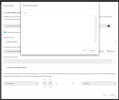
I'm looking to solve this issue as well. I've tried to set up the archive location to go to a shared folder in Google Drive. I've set up a Google Drive integration, and I've uploaded the .json file, but when I try to select the directory selection, there's nothing there and it won't let me click on anything or paste anything. What am I doing wrong?

1682976434715.png
 
I'm looking to solve this issue as well. I've tried to set up the archive location to go to a shared folder in Google Drive. I've set up a Google Drive integration, and I've uploaded the .json file, but when I try to select the directory selection, there's nothing there and it won't let me click on anything or paste anything. What am I doing wrong?

Google Drive is not supported. We only support Google Cloud Storage:
https://www.3cx.com/docs/google-cloud-storage/
 
Status
Not open for further replies.

Forum statistics

Threads
111,974
Messages
590,081
Members
164,899
Latest member
mazet