Call routing issues with Telstra SIP

Status
Not open for further replies.

ICT Manager

Premier Customer
Joined
Feb 26, 2020
Messages
4
Reaction score
0
Hi All

We are currently going through the phone system replacement and having issues with call routing, not able to make inbound\outbound calls on Telstra SIP

current phone system - Cisco Call Manager
new phone system - 3cx
SIP - Telstra SIP

3cx version - 16.0.4.493

The current phone system is in production and connected to Telstra SIP - no issues, everything is working fine.

The new phone system is in the implementation stages. During the testing (outside hours to bring the current phone system down for a little window), we connect the new phone system to Telstra SIP - trunk registers succesfully but cannot call inbound\outbound.

Call or Registration to XXXXXXXX@(Ln.10001@Telstra - SIP Connect (SIP Trunk)) has failed.
203.52.1.167 replied: 404 Not found; from IP:203.52.1.167:5060

Going back and forth with Telstra for last 6weeks with not much of assistance.

Any ideas?
 
Last edited:
  • Like
Reactions: YiannisH_3CX
We have followed the document, the only change was when used 3 way authentication password the trunk doesn't register at all.
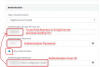
the way we managed to register succesfully was modifying the authentication settings as shown in the picture.
uncheck 3 Way authentication and swap Authetication ID to Authentication user ID

Tried all the stuff but still cannot call inbound\outbound

Tr3cxTelstraTrunkAuth.PNG
 
You can check your connectivity by pinging 203.52.1.161 Each of the Telstra servers have a pingable address but you can't ping the address you connect to .160 in this instance. The interesting thing is the reply is coming from .167? I am assuming that is the IP on your machine. I normally work with NEC PABXs and have some troubleshooting/install guides that may help shed some light on your problem if you are interested.

Edited to add...

Are you using the right DNS server?

DNS Addresses are:
Primary 203.52.0.221
Secondary 203.52.1.222
 
Last edited:
Sounds like a lot of effort for a supported provider: https://www.3cx.com/partners/sip-trunks/australia/

I had to go through similar loops with TATA in India (but they are un-supported by 3CX and the country stipulates services for VoIP must be on-premise) this was for me as mentioned already an issue effecting CLID, which was solved by changes to the P-Preferred Identity host, user parts and display name presentation.

With this being said it should be down to the provider to work with you on providing the information they require from the PBX side.
 
You may have noticed we support 3 different Telstra services. Which one are they providing you with?

1583229616461.png
 
we managed to get outbound calling work by changing the following settings on the outbound parameters

Remote Party ID - Calling Party : User Part
Remote Party ID - Calling Party : Host Part

However, the audio on the outbound calling is only one way from 3cx server to Telstra

Inbound calls still dropping - not hitting the 3cx server
 
Hi @ICT Manager

Let's start from scratch because I think you did not answer my actual question, and I wish to save you the back and forth with Telstra if I can.


Which of these three services is your provider currently selling you?
  1. Telstra - Business SIP
  2. Telstra - SIP Connect (Enterprise Trunk)
  3. Telstra - SIP Connect (SIP Trunk)
 
Hi,
I am sure JohnS has you covered but I also went through this. The 3CX Telstra guide is slightly inaccurate saying to use TCP which causes call issues, intermittent and complete failures, you need to use UDP.

I have a Telstra SIP Connect Enterprise Trunk and "may" be able to help you to check some things. I am talking purely from my experience.

1. Use UDP and not TCP, Telstra TIPT do not support TCP.

In SIP trunk General - Remove the "transport-tcp." prefix to the Registrar, leave only the rest "yourdomain.com.au"

2. In options for the SIP Trunk.
Choose UDP in Transport protocol.

3. In general - Main Trunk number drop the leading Zero and use Area Code + Number.

Ensure you have saved these settings.

Then go to the Dashboard --> Services, highlight the "3CX PhoneSystem 01 SIP Server " service and press Restart or simply Reboot the 3CX Server.

Test Inbound and Outbound.

Other things to check:
Ensure you are using the correct Outbound Proxy - SBC for the location where your 3CX lives.
Ensure firewall checker is all passed.
 
  • Like
Reactions: KBRV and jameshs
One thing to add, if you have a DID range(s), simply find a number or two which is not in use, have that number(s) ported to Telstra TIPT and use that for testing. Saves alot of pain when setting up and testing.

Then for cut over to 3CX simply import all your dids and get them activated.
 
I have a Telstra SIP Connect Enterprise Trunk and "may" be able to help you to check some things. I am talking purely from my experience.

1. Use UDP and not TCP, Telstra TIPT do not support TCP.

2. In options for the SIP Trunk.
Choose UDP in Transport protocol.

3. In general - Main Trunk number drop the leading Zero and use Area Code + Number.

Thanks for your post Waddy. I also have SIP Connect Enterprise, i changed step 3 above, all good, but if I change option 2 from TCP to UDP i cant get calls in and out. With it set to TCP, at least I can get calls in. (but cant make calls out)

I did manage to get a call transferred externally to a 1300 number by my IVR, thats the only way I could get that call out. But I cant dial the ext i have that number associated to from my mobile (via the app) or dial it direct.
 
Hmm. I feel your pain, when you get it working it is pretty awesome, super fast and quality. Are you seeing any calls hit your PBX in packet capture?

I use Telstra -SIP Connect (Enterprise Trunk ) template and use UDP as above. Left everything default except the below.

Options > Advanced > PBX delivers audio - Ticked.

Oh I just remembered this, and I reckon that is what fixed mine, In options > Advanced > Select What IP to use in Contact (SIP) I changed this to "Use this ip address" and put my Internal IP of 3CX in there.

That definitely made a difference for me. It was all trial and error, looking at captures etc. Mine works perfectly.

**Note we are on the MPLS network.

I can PM you screenshots of my Trunk Config if that will help? I can also send you a working call capture for comparison?
 
Hmm. I feel your pain, when you get it working it is pretty awesome, super fast and quality. Are you seeing any calls hit your PBX in packet capture?

I use Telstra -SIP Connect (Enterprise Trunk ) template and use UDP as above. Left everything default except the below.

I'm similar to you, the calls currently come in to my Alcatel OXO via my MPLS link. Call quality has been great. My hassle is that I need to wait til we nightswitch at 1630 before I can play again. Fortunately I have a 1300 fwd to my prime number which I just divert to the after hours call centre so I'm just about to kick it over and see how it goes tonight.
I've checked my firewall, traced my routes to make sure they are going the right way, but still no dice. (calls are coming in but not out. I must be close)

It'd be great if you could flip me some screens to compare to, I'm in NT but connect to the SBC in Adelaide. I'm about to change my firewall rules and cut it over.

Jason
 
Hmm. I feel your pain, when you get it working it is pretty awesome, super fast and quality. Are you seeing any calls hit your PBX in packet capture?

Me again....

Maybe my trunks are working all along..... I'm getting a call into my IVR, which transfers to an extension, which transfers to an external number. Someone outside of my organisation answers it.
But I cant make any calls outbound, even to that same public number tied to the extension. About to follow that up.
 
Working now, issue unrelated to trunks.... Stupid error with the outbound caller id on my extension. (had to remove the leading zero)
 
Ah excellent...Good result. TCP or UDP ?

Thanks for letting me know.
 
Ah excellent...Good result. TCP or UDP ?

Thanks for letting me know.

UDP. I actually had the almost trunk right first go... (and after reading your earlier comments in this thread). In hindsight it ended up being easy to configure, however I have done this a few times before for other providers on other systems. I used the built in packet capture to see my transactions and compare the good with the bad.

I will say for other reading this thread in the future, I have setup and configured other vendors (Mitel, NEC, FreePBX, Elastix, Grandstream etc) that this has been the friendliest by far. Stick with it.
 
The 3CX Team really need to update their guide.
 
  • Like
Reactions: KBRV and jameshs
Status
Not open for further replies.

Forum statistics

Threads
111,941
Messages
589,856
Members
164,832
Latest member
Boblatino