Can not add Twilio SIP trunk in 3CX Admin panel

Status
Not open for further replies.

robertv

New User
Joined
May 10, 2021
Messages
2
Reaction score
0
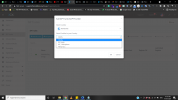
When I go to the 3CX panel and click on "Add SIP Trunk" and choose worldwide or the USA it does not show me the option of Twilio in "Select Provider in your Country".
How I can add Twilio option there?
1620668826802.png
 
When I go to the 3CX panel and click on "Add SIP Trunk" and choose worldwide or the USA it does not show me the option of Twilio in "Select Provider in your Country".
How I can add Twilio option there?
View attachment 21961
You are Hosted on 3CX, and those don't support IP Based trunks like Twilio.
 
Last edited by a moderator:
  • Like
Reactions: [email protected]
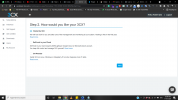
Among all three which one I should use and how.

1620671812127.png
 
If you have to ask, Hosted by 3CX is your best bet, you just have to go with a provider that is supported (registration-based SIP trunks). If you have to use Twilio then the next best option would be self-host in your cloud.

Do note that if you already spun up a 3CX hosted instance you'll have to have them turn it off before you spin up a self-hosted or they will conflict.
 
Last edited by a moderator:
Status
Not open for further replies.

Forum statistics

Threads
112,326
Messages
591,900
Members
165,479
Latest member
Senergia