- Joined
- May 15, 2017
- Messages
- 6
- Reaction score
- 1
I am looking to grant permission to some of my users to view the chat logs for audit purposes. They are all using the DeskTop app.
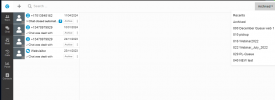
I am the system owner, and can see the chat logs in the reporting section of the admin section in the app, however, I cannot seem to assign permission to other user.
The only way I appear to be able to make the reporting option available, is to make then the system owner of the Chat Group
The option to "Monitor (Has access to reports, chat logs, call logs & recordings)" appears to have no effect at all.
I am running version 18, update 9
Does any one have any ideas what I am missing please ?
I could get the same result by exporting to a csv, but then I dont get the chat transcript, just a list of the chats. A feature upgrade perhaps?
Thanks in advance
I am the system owner, and can see the chat logs in the reporting section of the admin section in the app, however, I cannot seem to assign permission to other user.
The only way I appear to be able to make the reporting option available, is to make then the system owner of the Chat Group
The option to "Monitor (Has access to reports, chat logs, call logs & recordings)" appears to have no effect at all.
I am running version 18, update 9
Does any one have any ideas what I am missing please ?
I could get the same result by exporting to a csv, but then I dont get the chat transcript, just a list of the chats. A feature upgrade perhaps?
Thanks in advance