Configure Office Hours not applying

Status
Not open for further replies.

Shenron210

Customer
Basic Certified
Joined
Dec 6, 2019
Messages
7
Reaction score
0
Hello all,

I hope someone might be able to help. I have seen many similar posts, but none have resolved my issue. I have a 3CX installation on 16.0.0.1581 (I know it has updates available) Linux.

My problem is the system is not adhering to the configured office hours. I have configured the hours at the trunk level, DID and system wide settings and the out of hours are set to direct to an afterhours IVR, however calls are never redirected to this. Calls are coming in at all hours of the day and sit in the call queues never to be answered. I have restarted the server and checked the date and time are correctly set.

Any suggestions or ideas would be greatly appreciated.

Many thanks,
Chris
 
hi could you explain your call flow?
from what you wrote, it seems to be:
during OH
DID --> Q
during OOH should be
DID --> night IVR

That's it?

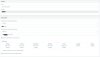
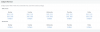
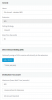
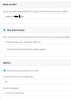
Could you screen copy hours settings?
DID rule (hide sensitive infos)

Is the DID number the main one of the trunk?
 
Hey,
Yeah that's pretty much it. Yeah it's the main number and main DID of the Trunk.
Thank you.
 

Attachments

  • Rule.jpg
    Rule.jpg
    821.8 KB · Views: 43
  • Rule1.jpg
    Rule1.jpg
    378.3 KB · Views: 42
no hours set in general settings? nor in extensions?
 
DID number is alone and main number or do you have several DIDs?
If nothing change from hours settings then probably your inbound rule is not matching any criteria then rule is not applied

Agents of Q are in status available and logged in ?
 
Hours are set under settings > Timezone & Office Hours Settings > Configure Office Hours. This wasn't working and I started following directions from other posts which lead me to try setting up on the trunk as shown above.


Not using the Break times and nothing set at extensions. I'm new to the company and not familiar with 3CX. So, it might be I'm missing something obvious. I appreciate your help.
 
OK ,your hours are set and this is not the problem, can you search in logs when a call is done during OH to the Q if you see rule applying from your DID.
I guess if incoming number format is not exactly the same as you set in your rule, rule doesn't apply and then forwarding is never switching form OH to OOH
 
Can you make sure that the system is using default hours?

Check Settings > Dial codes > Force 3CX Phone System to IN or OUT of office

Here you will find your dial code. If it is for example * 9 then dial -> * 90


Also the TimeZone under settings must be correct for your region, as well as the time on the PBX server
 
  • Like
Reactions: Alphabetic
Thanks both. I'll check the Dial codes idea. The servers time zone, date/time are correct on both underlying server and PBX.

Where would I find the rules showing the calls? I'm going Call Log > Found the call from myself last night at 8:15PM (Out of Hours). Shows From: Main Sales Number: (My personal mobile #) To Q Sales Q (XXX) Talking Not Answered.
 
I am experiencing the very same thing. please let me know if you have a fix...
 
Where would I find the rules showing the calls? I'm going Call Log > Found the call from myself last night at 8:15PM (Out of Hours). Shows From: Main Sales Number: (My personal mobile #) To Q Sales Q (XXX) Talking Not Answered.
Change log to verbose during troubleshooting.

this afternoon i've done same scenario for a client, so what have done
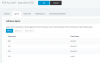
Hours are set in general settings
13418
DID inbound rule goes to Q in OH and night ivr in OOH
13419
Detail inbound rule
13420

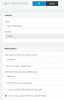
Q is set in ring all mode with 4 agents(ext 100,101,102,114) ring for 50s and DNA set to 600s forwarding to VM box EXT. 100
13421
13422

Agents
13423
All agent status are
13424
 
Status
Not open for further replies.

Latest Posts

Forum statistics

Threads
111,934
Messages
589,822
Members
164,813
Latest member
divdigital