- Joined
- May 26, 2023
- Messages
- 41
- Reaction score
- 3
Hello,
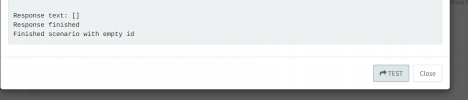
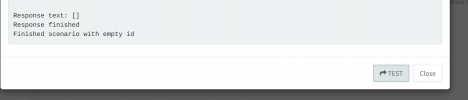
I'm having an issue with 3CX CRM and my external SQL database. I can perform queries using the "Test" button and receive a result when manually inserting it into my MySQL database. Call journaling is working fine.
Now, onto my problem: Unfortunately, I'm unable to add contacts to my external MySQL database using the 3CX web client. I receive the following error message in the event log:
Exception during contact creation. FirstName=Test, LastName=Test, Company=, Number=01234567, Email=. Exception: System.InvalidOperationException: CommandText must be specified at MySqlConnector.MySqlCommand.ExecuteReaderAsync(CommandBehavior behavior, IOBehavior ioBehavior, CancellationToken cancellationToken) in /_/src/MySqlConnector/MySqlCommand.cs:line 345 at MySqlConnector.MySqlCommand.ExecuteDbDataReaderAsync(CommandBehavior behavior, CancellationToken cancellationToken) in /_/src/MySqlConnector/MySqlCommand.cs:line 337 at Integration.Crm.Engine.SqlDatabaseClient.Execute(String statement, CancellationToken token) at Integration.Crm.Engine.ScenarioProcessorBase.ProcessSQLDatabaseQuery(ISQLClientFactory sqlClientFactory, ScenarioQuery query, IValueManager customManager, CancellationToken token) at Integration.Crm.Engine.ScenarioProcessorBase.ProcessScenario(ProtocolScenario scenario, IValueManager customManager, CancellationToken token) at Integration.Crm.Engine.ScenarioProcessorBase.Execute(ProtocolScenario scenario, CancellationToken token) at Integration.Crm.Engine.CrmProcessor.CreateContactRecord(IValueManager customManager, String scenarioId, Func`2 filterResultsFunctor, CancellationToken token) at Integration.Crm.Engine.CrmProcessor.CreateContactFromClient(String firstName, String lastName, String company, String contactNumber, String email, CancellationToken token) at MyPhoneServer.Common.ClientManager.ServerMessageProcessor.ProcessUpdateContact(RequestUpdateContact request, IClient client, CancellationToken token, ICrmProcessorFactory crmProcessorFactory, IGraphServiceClientFactory graphServiceClientFactory, IPhoneSystem ps, IMicrosoft365ConfigurationRepository configurationRepository)
The Error Message in web client:
Contact Creation Error
Problems occurred while adding the contact
Contact state:
CRM
Unable to create the contact due to an error. Please contact Administrator.
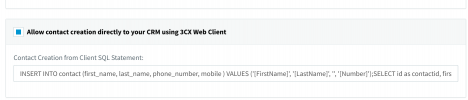
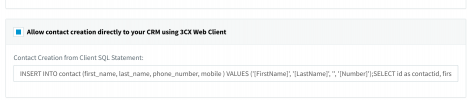
I use the Contact Creation SQL Statement as follows:
INSERT INTO contacts (first_name, last_name, phone) VALUES ('New', '3CX Contact', '[Number]');SELECT id as contactid, first_name as firstname, last_name as lastname, phone as phonebusiness FROM contacts WHERE phone = '[Number]'
I know this docu (does not work for me): https://www.3cx.com/docs/server-side-crm-template-xml-description/
I'm having an issue with 3CX CRM and my external SQL database. I can perform queries using the "Test" button and receive a result when manually inserting it into my MySQL database. Call journaling is working fine.
Now, onto my problem: Unfortunately, I'm unable to add contacts to my external MySQL database using the 3CX web client. I receive the following error message in the event log:
Exception during contact creation. FirstName=Test, LastName=Test, Company=, Number=01234567, Email=. Exception: System.InvalidOperationException: CommandText must be specified at MySqlConnector.MySqlCommand.ExecuteReaderAsync(CommandBehavior behavior, IOBehavior ioBehavior, CancellationToken cancellationToken) in /_/src/MySqlConnector/MySqlCommand.cs:line 345 at MySqlConnector.MySqlCommand.ExecuteDbDataReaderAsync(CommandBehavior behavior, CancellationToken cancellationToken) in /_/src/MySqlConnector/MySqlCommand.cs:line 337 at Integration.Crm.Engine.SqlDatabaseClient.Execute(String statement, CancellationToken token) at Integration.Crm.Engine.ScenarioProcessorBase.ProcessSQLDatabaseQuery(ISQLClientFactory sqlClientFactory, ScenarioQuery query, IValueManager customManager, CancellationToken token) at Integration.Crm.Engine.ScenarioProcessorBase.ProcessScenario(ProtocolScenario scenario, IValueManager customManager, CancellationToken token) at Integration.Crm.Engine.ScenarioProcessorBase.Execute(ProtocolScenario scenario, CancellationToken token) at Integration.Crm.Engine.CrmProcessor.CreateContactRecord(IValueManager customManager, String scenarioId, Func`2 filterResultsFunctor, CancellationToken token) at Integration.Crm.Engine.CrmProcessor.CreateContactFromClient(String firstName, String lastName, String company, String contactNumber, String email, CancellationToken token) at MyPhoneServer.Common.ClientManager.ServerMessageProcessor.ProcessUpdateContact(RequestUpdateContact request, IClient client, CancellationToken token, ICrmProcessorFactory crmProcessorFactory, IGraphServiceClientFactory graphServiceClientFactory, IPhoneSystem ps, IMicrosoft365ConfigurationRepository configurationRepository)
The Error Message in web client:
Contact Creation Error
Problems occurred while adding the contact
Contact state:
CRM
Unable to create the contact due to an error. Please contact Administrator.
I use the Contact Creation SQL Statement as follows:
INSERT INTO contacts (first_name, last_name, phone) VALUES ('New', '3CX Contact', '[Number]');SELECT id as contactid, first_name as firstname, last_name as lastname, phone as phonebusiness FROM contacts WHERE phone = '[Number]'
I know this docu (does not work for me): https://www.3cx.com/docs/server-side-crm-template-xml-description/