- Joined
- May 16, 2019
- Messages
- 26
- Reaction score
- 0
Hey,
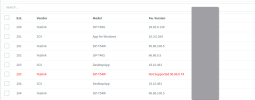
We have a client that uses CTI heavily. It works fine on their T46s phone however we have replaced some phones with T54w. Now When they send a call from the desktop app, It doesn't dial automatically Instead, it does a make call to the phone and then puts the person on hold while it calls out.
Has anyone seen this issue and a way around it?
The server is in Azure, and they run behind an SBC in the office.
T46s works but not the T54w
We have a client that uses CTI heavily. It works fine on their T46s phone however we have replaced some phones with T54w. Now When they send a call from the desktop app, It doesn't dial automatically Instead, it does a make call to the phone and then puts the person on hold while it calls out.
Has anyone seen this issue and a way around it?
The server is in Azure, and they run behind an SBC in the office.
T46s works but not the T54w