Solved Different VM Greeting Messages based on Office Hours

Status
Not open for further replies.

Richard Kane

Bronze Partner
Intermediate Cert.
Joined
Dec 1, 2017
Messages
16
Reaction score
5
I have 3CX v18 in which I have about 4-5 dummy extensions which are NOT registered to anything. I have set up an additional voicemail Greeting Message under DND status. Since the extension is NOT registered, it seems that the Auto-Switch feature does NOT work. Is there anything I am missing to get this to work for a dummy unregistered extension?

Heres a better diagram if you will that I was hoping it would do

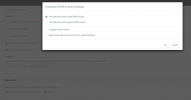
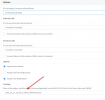
In Office Hours > Ext 9000 (Available - Unregsitered) > "We are busy with other customers, please leave a message" > VM Box
Out of Office Hours > Ext 9000 (DND - Unregistered) > "You have reached us out of office hours, please leave a message" > VM box
1636415144721.png

1636415042747.png
 
Since the extension is NOT registered, it seems that the Auto-Switch feature does NOT work.
This is not the case, even an unregistered extension should switch it's profile status if "Autoswitching" is enabled. Have you actually checked the profile statuses for these extensions during out of office hours and can confirm that they did not switch to DND even though autoswitching is eabled? If not, I recommend that you check this first as the issue may be somewhere else.
 
  • Like
Reactions: Evolute IT
This is not the case, even an unregistered extension should switch it's profile status if "Autoswitching" is enabled. Have you actually checked the profile statuses for these extensions during out of office hours and can confirm that they did not switch to DND even though autoswitching is eabled? If not, I recommend that you check this first as the issue may be somewhere else.
I tested this on a different phone system and same results. I even created a dial code to force the phone system to in and out of office hours to speed up the testing process and dummy extensions do not appear to respond to the switching of statuses based on phone system status... Manual changing of the status via the console works fine

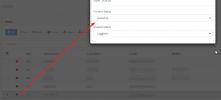
The dummy extension does not have a status within the 3CX Phone app but is always set to "Available" within status changes in the Console

See attached photos

Thanks!
 

Attachments

  • 2021-11-15 17_30_26-Clipboard.png
    2021-11-15 17_30_26-Clipboard.png
    13.7 KB · Views: 6
  • 2021-11-15 17_31_51-Window.png
    2021-11-15 17_31_51-Window.png
    31.5 KB · Views: 6
I feel I need to clear up a few things:

First off, do note that the extension status seen in the 3CX Windows App switchboard will not change colour based on profile status if the extension is unregistered. It will instead stay grey as in your case.

Regarding the Force IN/OUT of office dial code, bear in mind that toggling it will not trigger extension auto switching. For extension autoswitching to work, the PBX must be using the default office hours so make absolutely sure you use the dial code as is (without using 1 or 2) to set the office hours back to default.

I have to say, I found the fact that you reproduced this on a second PBX very strange. Could you let me know what the exact steps were to do this?

Could you try by follow the below exact steps:

1. Dial the Force IN/OUT office hours from any extension and make sure that the message heard is "3CX Phone System is now using the DEFAULT Office hours"
2. In the Management Console, create an extension.
3. Go into "Forwarding Rules" scroll down to "Auto Swtch" and enable it.
4. Click on "Configure" and then select "This extension uses Specific Office Hours"
5. Now, just modify the current day and set the END time to something like 3 minutes into the future.
6. Click on OK to apply and the OK for the extension settings.
7. Wait for 3 minutes to pass and then check that extension's status from the Management Console.

Let me know what happens.
 
I feel I need to clear up a few things:

First off, do note that the extension status seen in the 3CX Windows App switchboard will not change colour based on profile status if the extension is unregistered. It will instead stay grey as in your case.

Regarding the Force IN/OUT of office dial code, bear in mind that toggling it will not trigger extension auto switching. For extension autoswitching to work, the PBX must be using the default office hours so make absolutely sure you use the dial code as is (without using 1 or 2) to set the office hours back to default.

I have to say, I found the fact that you reproduced this on a second PBX very strange. Could you let me know what the exact steps were to do this?

Could you try by follow the below exact steps:

1. Dial the Force IN/OUT office hours from any extension and make sure that the message heard is "3CX Phone System is now using the DEFAULT Office hours"
2. In the Management Console, create an extension.
3. Go into "Forwarding Rules" scroll down to "Auto Swtch" and enable it.
4. Click on "Configure" and then select "This extension uses Specific Office Hours"
5. Now, just modify the current day and set the END time to something like 3 minutes into the future.
6. Click on OK to apply and the OK for the extension settings.
7. Wait for 3 minutes to pass and then check that extension's status from the Management Console.

Let me know what happens.
Yup. This is what I found. I thought I updated this forum already with that I found the Auto-Switch feature does not listen to the Forced in/office dial code. Anyway. This is resolved.
Thank you!
 
  • Like
Reactions: ChrisC_3CX
  • Like
Reactions: Richard Kane
Status
Not open for further replies.

Forum statistics

Threads
111,974
Messages
590,081
Members
164,899
Latest member
mazet