DNIS in VAD

Status
Not open for further replies.

SWSDEV

Forum User
Joined
Feb 23, 2008
Messages
256
Reaction score
0
What setting in 3CX needs to be changed so that the DNIS in the IVR shows the DID originally dialed instead of the extension of the IVR?
 
Hi Shahzad,

You can get that information using the 3CX Call Control API (http://www.3cx.com/blog/docs/call-control-api/) from a DLL (and call that DLL from an external code execution component).

The code you need to use could be something like this:

Code:
    public string GetOriginalDestination(string ani, string dnis)
    {
      DN dn = PhoneSystem.Root.GetDNByNumber(dnis);
      ActiveConnection[] activeConnectionArray = dn.GetActiveConnections();
      foreach (ActiveConnection activeConnection in activeConnectionArray)
      {
        if (activeConnection.ExternalParty == ani) return activeConnection.DialedNumber;
      }

      return String.Empty;
    }
Hope the information helps.

Kind regards.
 
Thanks
 
Will that code not work if there are multiple connection in the IVR at the same time?
 
If the calls are from different ANIs, then it will work. If you have many calls from the same ANI, then you will need to also check the date and time of the call in order to determine yours...
 
Modified Code to avoid doing a loop

Code:
        public string GetOriginalDestination(string ani, string dnis)
        {
            DN dn = PhoneSystem.Root.GetDNByNumber(dnis);
            ActiveConnection[] activeConnectionArray = dn.GetActiveConnections();

            var activeConnection = activeConnectionArray.FirstOrDefault(ac => ac.ExternalParty == ani);

            if (activeConnection == null)
                return String.Empty;
            else
                return activeConnection.DialedNumber;
        }
 
The dialed number property on the object is BLANK.

Is there something in the SIP settings for the Trunk that has to be set for the value to show up?
 
I've been doing some tests, and maybe you need to look into the AttachedData property. That property is a collection of information related to the call, try with that property.
 
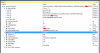
See screenshot attached for Visual Studio watch on the entire ActiveConnection object.

The attached data doesn't have it either.
 

Attachments

  • screenshot.png
    screenshot.png
    33.6 KB · Views: 6,792
You may need to adjust the inbound parameters for your trunk. Try changing the values for the fields "To: User Part" or "To: Display Name". That could change the value 10002 in the screenshot to the dialed number.
 
We checked and we already have it set to "CalledNum".

What else should it be set to?
 
Well it depends on how you're receiving the call from your trunk, but you may try with "CalledName" in case that field has the phone number. You're saying that it is confiugred with CalledNum, but currently you're receiving the 3CX port number. Try with that, or send a trace of the SIP INVITE message received by 3CX from the trunk.
 
Status
Not open for further replies.

Latest Posts

Forum statistics

Threads
112,322
Messages
591,882
Members
165,469
Latest member
footandankle.my3fcx.us