Double phone entry

Status
Not open for further replies.

telforce

Customer
Basic Certified
Joined
Feb 7, 2019
Messages
40
Reaction score
2
We have a 3CX system with Yealink T42S phones which are provisioned through the direct SIP Stun remote method. I had accidentally given two extensions the same SIP port and after that for one of the two extensions it would display the same phone twice in the Phones list. I have corrected the problem since then and given the extensions unique SIP and RTP ports but i can't get rid of the phone that shows up twice and in some cases when a call comes in both phones will ring because of this. I tried deleting the extensions multiple times and re-creating them but it doesn't work. The double phone keeps coming back. I tried the Re-provision button, firware upgrade button but nothing works. How can i resolve this?
 
Have you factory reset phones ?
Have you rebooted the PBX ?
 
I have had this once before, but it was using an Edgemarc SBC onsite to hosted 3CX system and doubleNAT.

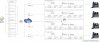
Probably best to look at your NAT and port forwarding setup first I think, I have attached my Draytek example to this post of how to set this up.

I would however seriously dissuade anyone from multiple STUN phone setup to single site, it causes more problems than it solves and find the SBC or VPN method far better and secure.
 

Attachments

  • stun_master.jpg
    stun_master.jpg
    318.7 KB · Views: 32
Have you setup the required port forwarding on the router protecting the phones ?
 
I have attached my Draytek example
Hi Edd, what do you use to make this scheme? is it something from Drayteck directly or from other software?
I like how clear is the content displayed. If it's possible to share some docs, could be great.
 
Last edited:
is it something from Drayteck directly or from other software?

Something very complex..... MSPaint :)
Just took screenshots and mapped it out.
 
  • Haha
Reactions: AWS2P
Ok thanks ;) , I'll dream about a feature included in 3CX to give us a setting book with clear view as you have done, including initial settings, to give to customers as end of work recipe
 
Yeah, unfortunately not, this is more of a diagram/guide laid out to explain the concept of multiple STUN phone setup. Basically:

  • Port forwarding.
  • Static IP allocated per phone.
  • Keep your SIP and RTP ports segregated correctly to avoid port clashes.

Even with this setup I have found it not completely full proof, so do try and avoid it these days thought - unless for say a single home worker for example.
 
  • Like
Reactions: AWS2P
Hi all, i'm back and can report that i have done the following to try and remedy the issue:

-Move the entire 3CX instance to another instance by making a backup and importing it to the new instance
-Factory resetting all the phones and provisioning them again

Unfortunately i still have a double phone entry for that single extension!
Also the 3CX instance is regularly crashing where it runs out of memory. We are working on reporting this with 3CX support.

Any idea's?
 
Firstly increase system resources to cure your crashing issue.

Have you manually configured these 2 phones in question via the phone itself? I would reset both phones and use the RPS for them to pull their configuration.
 
The system has 2GB of memory and only 12 extensions which are rarely used. It should be enough. This 3CX instance is hosted with a provider and they have hundreds of similar instances which are not crashing.

Both phones have already been reset to factory and re-provisioned with RPS.
 
Is it a windows or linux instance? How much disk space is free?
 
Linux. 28% used, 7GB free
 
did you use pbxpress to install new PBX?
Do you use call recording?
 
Hi,

For such cases I would suggest to do the following:

  • Ensure there are no overlapping ports between ANY of STUN-based extensions that are at the same site sharing the same WAN IP
  • Factory reset the phones
  • Ensure the remote firewall has the equivalent ports configured 1:1 on it for each of those phones and no SIP-ALG active that may interfere
  • Reboot it too if possible
  • Now reprovision them again, once the original registrations have expired already and disappeared from the management console

The PBX will see two registrations from that WAN now, but from 2 distinct ports so it will be able to identify the source as being different. If the issue still appears then check the ports again: in the extension settings, and on the individual phones UIs to ensure what you see is what you get.
 
Status
Not open for further replies.

Forum statistics

Threads
111,934
Messages
589,819
Members
164,811
Latest member
aurorasigntrtechitnet