Enjoy a More Native Experience with the Latest iOS App

Vali_3CX

Staff member
Joined
Dec 12, 2008
Messages
2,930
Reaction score
1,158
Fully compatible with iOS 14.5 and iOS 14.6, our latest iOS client is now available on the AppStore. This update prepares your iPhone or iPad for soon to be released Version 18. With this release, we’re introducing:
  • Option to integrate 3CX calls with your device Recents.
  • Ability to schedule a conference call using your device Calenda...
 
Last edited by a moderator:
Hurray! we've been waiting for this!
 
  • Like
Reactions: Vali_3CX
Regarding "Option to integrate 3CX calls with your device Recents."
Hasn't the app done this for awhile now? I have been seeing 3CX calls in my Recents list for quite awhile now.
 
We added the option to toggle this ON or OFF in client Settings/Advanced - if you used the TestFlight yes, we added it quite time ago, but the old AppStore version was "hardcoded" to ON.
 
excellent!

no more having to clear my recents on the daily.
 
Can we get the option showing what the currently enabled codec's back on the app? I see this was removed on the updated version.

Otherwise, I think the app update is a great next step. I would love to see integration with the outlook calendar on IOS, but otherwise the app keeps getting better and better.

Great work guys :)
 
  • Like
Reactions: Vali_3CX
Any change of Voicemail being moved out of the "Settings" menu in the future? Why not merge voicemail and chat into one screen that shows both.
 
Based on the feedback we've got so far and due to new features to be added, we have in our both near and far roadmaps plans for partial redesign of the user interface, but I cannot provide now an ETA and what exactly will be done. But we'll let you know.
 
many users are asking for the return of a large phone keyboard for forwarding to dial a number.
 
I am having some major issues with the new iOS app across 7 different 3CX instances.
1. Device may or may not connect (most of the time sits there with a green square and connecting)
2. If it does connect it will switch between Ready for calls and connecting every 3 seconds
3. If it does finally go to ready for calls, as soon as a call is made i hear a beeping sound and and see the message reconnecting

I have used another iPhone on the same instances that has not got the new update and everything is working perfectly

The phone with the new app does the same thing on WiFi or celular and i have turned off WiFi assist on the phone
 
@NicoC
Hi Nico, I sent you a PM, I will need a client' verbose logs.
Thanks!
 
I notice when a client disconnects on their end I get a few beeps on my phone and the call disconnects. I was curious if this is the intended behaviour?
 
I notice when a client disconnects on their end I get a few beeps on my phone and the call disconnects. I was curious if this is the intended behaviour?
Yes, it's by design. You may turn it off Settings "Play busy tone".
 
Last edited:
I am experiencing more or less the same problem myself on several instances.

I'm adding detail (Maybe irrelevant to the current issue, but I'm sharing it with you, in case that helps)
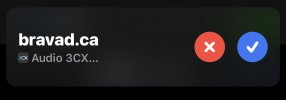
In the notifications, when a remote person (with the phone configured in STUN / Yealink ) calls me, I see the domain name of our company, instead of the CNAME of the caller.
I do not know where the information is obtained since the domain of my email in my extension is not @bravad . The PBX uses an FQDN issued by 3CX. The caller also does not have the @bravad domain in the email field. I don't know if this can help with the diagnosis.

@Vali_3CX
You have my email, email me if I can help with the diagnosis ;-)

Guillaume


I did the test with the application open in the foreground, same problem

Notif_3CX.jpg
 
This looks highly likely a PBX misconfiguration problem. Please open a topic on IOS forum regarding this so we could check there.
Thanks!
 
  • Like
Reactions: NickD_3CX
This looks highly likely a PBX misconfiguration problem. Please open a topic on IOS forum regarding this so we could check there.
Thanks!
I'm also having this issue and it's affecting both IOS and Android phones.
 
I notice that when IOS is attempting to speak the name of the caller, it is simply stating "call from 3cx" rather than the phone number or cname of the caller. is it possible to change this to pulling the cname or phone number instead?
 
@FridayIT
That one is totally controlled by the iOS (CallKit) and I'm assuming is something related with privacy - to don't speak loudly the name of the caller because there could be person(s) in your proximity who you may don't want to know who's calling you.
 
  • Like
Reactions: FridayIT
Are you also seeing @bravad or something else?
I haven't tested that to be honest, we work almost entirely remotely using iphone/android and windows softphone. We have noticed that the PBX is only seeing connections on TCP 5090 - we're looking at this at the minute. Seems the older client was happy to pick up on TCP only - Windows Clients are unaffected but we've noticed they are using TCP. Could the new client be fixed to UDP?
 

Forum statistics

Threads
111,994
Messages
590,183
Members
164,934
Latest member
bunthoeun.may