Error in 3cx administration

Status
Not open for further replies.

fquiroz

Bronze Partner
Basic Certified
Joined
Jan 6, 2021
Messages
6
Reaction score
0
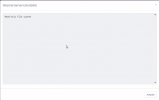
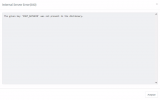
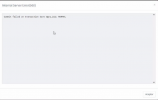
Hello, I have a problem related to the administration of a 3CX on premise solution, currently my 3CX central is operational but no administration is available because depending on the section I enter it gives me some errors, for example I can not create or delete extensions, access logs, etc.

Perpetual licenced
Version: 18.0(build 418)
Support with 3CX (Terminated January 2023)

Error examples:
1692653673223.png
1692653695931.png
1692653716431.png
 
Maybe someone could tell me why this is happening and if it is possible to recover the administration of my plant?
 
Hi @fquiroz I can see that your installation is not up to date, it is running sp5.

I would recommend you to upgrade the system to the last version 18.0.8.917, it will be easier if you take a backup or if you already have a backup then uninstall and reinstall it using the last ISO file available from the partner/user portal, restore the backup file and check if you still have the same issue or not.
 
  • Like
Reactions: N_G
@fquiroz In general “read only file system” sounds like the problem. Is the disk full? File system corruption? What OS is the server?

Reinstalling and restoring would start over…
 
thanks for your ideas, at the moment it does not allow me to take backups of the system.

Do I need to upgrade to the latest version 18.0.8.917, do I need to have 3cx support contracted?
 
@fquiroz In general “read only file system” sounds like the problem. Is the disk full? File system corruption? What OS is the server?

Reinstalling and restoring would start over…
3CX On premise, in Debian OS
 
at the moment it does not allow me to take backups of the system.
So, you have installed a system and no recent backup? or at least the last backup that you have, or you never got a backup?

Do I need to upgrade to the latest version 18.0.8.917
yes, the system must be running the last official version, so in this way license is activated and also if you can replicate the issue with the last version then as you are a Bronze Partner can open a technical support ticket with us so we can further investigate the issue.
 
Status
Not open for further replies.

Latest Posts

Forum statistics

Threads
111,962
Messages
589,959
Members
164,863
Latest member
dipesh09