


- Joined
- Jul 1, 2016
- Messages
- 6,688
- Reaction score
- 2,671
Version 20.0 Update 10 (Build 1277 Alpha - AI 1.6.10)
Hi Guys
I attempted to use this plugin in OA and got an error saying it couldnt connected.
Deleted the plugin and MCP and attempted to set up again.
I get to the 3CX permission page in OA and I get this:
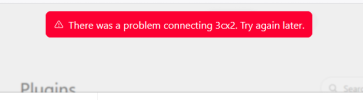
Where do I start to look?
thanks
Hi Guys
I attempted to use this plugin in OA and got an error saying it couldnt connected.
Deleted the plugin and MCP and attempted to set up again.
I get to the 3CX permission page in OA and I get this:
Where do I start to look?
thanks


