Solved External Ringer

Status
Not open for further replies.

Philip Darnell

Joined
Jan 26, 2017
Messages
155
Reaction score
10
Hi
I have a phone that needs an external Ringer, they already have an analogue bell connected from an old ISDN phone system so I want to reuse that. I have done this before by using a Cisco SPA112 and it worked perfectly using the quick setup, this was using a PBX on the premise so was local to the SPA112.

I am trying to set it up using a hosted PBX and I can't get it to connect, do you have any ideas? I have entered the FQDN & extensions user ID and password into the quick setup.
Any help would be appreciated.
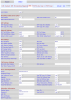
 
You aren't using a port other than 5060 at the server end are you? If so, you will have to specify the port after the server information ...server.3cx.co.uk:5061

As I recall... when using the 3102 FXO port, you have to use the Auth ID as it is a trunk, but a line doesn't require it.

Did you ever try connecting from a different location..taking it home one night and trying it from there?

Yes, if the device picks up the correct time, then it confirms you are connected to the 'net.

No I haven't changed the SIP port on the server.

I have a Cisco SPA112 at home which I use for an old analogue phone, I tried setting the second line on that to the remote server and that didn't connect, so I'm assuming its a setting I need to alter to be able to connect remotely.
 
Yes, that's what I mean.

upload_2017-9-19_17-38-15.png
 
  • Like
Reactions: Philip Darnell
Thanks, mine is setup exactly the same but no luck.

Is that setup as a remote extension?

Also guessing you have changed your SIP port from 5060 to 5070 on the server? Hence the SIP port being 5070 on your device?
 
This is a remote extension, manually setup.

Port 5070 is the local SIP port, not the registration port 5060.

Have you also enable STUN?
upload_2017-9-19_19-9-26.png
 
  • Like
Reactions: Philip Darnell
Where did you define the local SIP port for the device?

I have setup as you and worked!!!!!!!!!!!!!

Thank you very much for the help
 
You can find the local SIP port here:
SPA112 > Line > SIP Settings > SIP Port (same place as SPA3102)
 
So, what change allowed it to work?
 
I set the register settings to 'Use Auth ID' and then enabled stun which got it to register, possibly not having the STUN settings was why it wasn't making it to the server.

Thanks for all the help guys.
 
Got another issue with this.

The external ringer doesn't ring when the call is incoming, it randomly rings half way through a call and louder than it has ever rang before haha.
 
Could this be a message waiting signal? You may also have to change the ringing cadence/voltage to suite the device you are using.
 
Okay I'll have a read up and see what I can find, seen as its registering, I suspect its more some settings need tweaking on the actual device rather than anything in 3CX.
 
When there is an incoming call, the Activity log will show the devices being "Invited", IP and port. Check to see that the information for this device looks to be correct. You may have to forward, the (local) port being used by the 112, at the remote router.
 
Where in 3CX will I specify the SIP port for the 112? For example when setting up a Yealink T27G I specify the Local SIP port in the Extension -> phones, or is this just sent to the device when provisioning

Or does this just need setting up on the actual device?
 
Yes, the local port is set in the device. That is the port you are telling 3CX to use, to contact the device, in the registration. You had 5060 under SIP PORT, on the page you originally posted from the 112. If you still have this port set, then in the Activity log, when a call is made to the device, you should see a message go out to that extension @ PUBLICIPofthemoteRouter : 5060.
I assume there are more than one devices using the same extension number, so you should see multiple devices being signalled. Because you have multiple devices behind the same router, and are not using an SBC, you might encounter issues. It all depends on how well the remote router is able to keep track of ports.
 
Last edited:
There is a Draytek 2860 on the remote site which has port forwarding setup for each of the phones, I forgot to set port forwarding for the 112 so this could possibly be why if the router was having to trace the signal to the device, I will check the activity log now and see what I can see.
 
Hi

I had to abandon this for a while because it was driving me crazy and I was spending far too much time on it.


The stage I'm at with it is, it doesn't ring when the ext. is rung, it waits till the phone is answered before ringing, and then it rings deafening loud.

I have forwarded the SIP port to it on the router, any other ideas why its not ringing at the same time as the phone?
 
Not sure about the volume, many external ringers are designed to be loud but have "adjustments" on them. You may have to check the ring settings on the ATA to see if the voltage is set higher than necessary. 90 volts is usually good enough for a local device.

As far as it not ringing when called... I assume you are using SIP forking, the same extension on two devices. Check the 3CX Activity Log to see how each device, and the ATA in particular, is registering (IP & port), Does your port forwarding at the remote end router match up with the ports you see in the registration logs? Then ring the extension number and re-check the log. Is 3CX sending out two alert messages to the devices?

If it still has issues, and you start pulling out your hair, try assigning the ATA a new, unique extension number (try calling that to be sure it works), and making it a part of a ring group with the other extension, Set to ring simultaneously.
 
If the ATA isn't working properly, there may be "something else" (network issue?) at play here, that may cause similar issues with another device.
 
Not worth the time screwing with analog stuff. Pick up an Algo 8186 SIP Horn and you can configure it and move on. We use these in a warehouse and have them set to announce a ring for an extension, as well as having its own extension for making pages / announcements.

http://www.algosolutions.com/products/audible-and-visual-alerting/8186.html

I know but the customer would rather put a £35.00 ATA in over spending £300-£400 on a new ringer. I've not spent too long messing with it but it's getting frustrating ha.
 
Status
Not open for further replies.

Forum statistics

Threads
112,089
Messages
590,697
Members
165,055
Latest member
codee.morris