Extra Grandstream Extensions Using 3CX Cloud system

Status
Not open for further replies.

Dennis Pillow

Free User
Joined
Oct 9, 2018
Messages
31
Reaction score
6
Greetings,
I would desperately like to know how to configure a second Grandstream GXP2135 on the 3CX Cloud System. Wee are using the V16 version. I have a GXP2135 setup and I need to add another GXP2135 to the same extension. How is this done without changing the first phone? Both phones will ring at the same time.
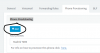
 
1594005495275.png
 
Just to be clear...
I wish to add another phone to my 1201 account. I have a Grandstream GXP2135 on that extension. I am in need of a second phone on that same extension. Are you stating for me to use the same extension number for the new phone?
 
No you are stating you want to use the same extension number for the new phone. I'm just showing you the button to do so :). Keep in mind that if you are using STUN you should be configuring separate port ranges for SIP/RTP. If you are using a SBC then you can provision the additional phone via PnP. This is an older guide but is still fairly accurate:

https://www.3cx.com/docs/manual/configuring-ip-phones/
 
  • Like
Reactions: Evolute IT
Hi Dennis,

You do not change the 1st phone at all - it remains unaffected.

Each phone can belong to only one extension, but one extension may have many phones assigned to it - perhaps this was the confusing part.

You can simply add as many devices as you want under that extension, and they will all ring when a call comes in, and you can pick up from whichever end point you choose. They can also all make outgoing calls independent from each other.
 
I assume this is called FORKING in 3CX terminology, correct? I attempted this in the Cloud portal and my existing extension went dead. All I could see is two phones listed in the pull down menu on the Provisioning tab. "Phones/Extension #/Phone Provisioning"
 
So I'm not sure what 'went dead' means. To me that sounds like it lost power which clearly wouldn't have anything to do with 3CX provisioning but I assume it means something different to you. What exactly happened on the phone and in the management console?
 
Hi Dennis,

Check here first, if none of your phones are registered then your extension will go to voicemail.

1594193647692.png
 
So I'm not sure what 'went dead' means. To me that sounds like it lost power which clearly wouldn't have anything to do with 3CX provisioning but I assume it means something different to you. What exactly happened on the phone and in the management console?
The phone just lost it's configuration and the connection to the regestration server was not working.
 
Good man! You can't go wrong with the Academy ;)

Hint: there's searchable course content for when you troubleshoot
1594212118595.png
 
This is a dynamic link that appears on all the modules of the Academy
https://www.3cx.com/3cxacademy/

So no matter what module you're on you can read the course content and view the pre-recorded webinar (which personally I find very useful when I want to revise any section of the Academy)

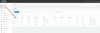
1594215830242.png
 
Thank You Very Much. I am going to take the course and finish it completely.
 
Status
Not open for further replies.

Forum statistics

Threads
111,954
Messages
589,919
Members
164,851
Latest member
DrunkeMeister