Fanvil X series (Router phones) | Configuration Guide

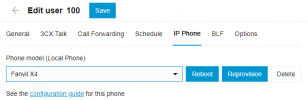
Adding a router phone to the Admin web client only works if there are no extensions already set up. I'd like to set up and test the new phone before sending it out to the remote worker. Any other way? This will prevent an upgrade to V20 if I can't have their phones ready at the moment of upgrade.

1704734926772.png
 
Adding a router phone to the Admin web client only works if there are no extensions already set up. I'd like to set up and test the new phone before sending it out to the remote worker. Any other way? This will prevent an upgrade to V20 if I can't have their phones ready at the moment of upgrade.
This issue has been solved in V20, but for now in V18 you can delete the existing phone (don't worry it will not stop working) and then add the router phone.

- So long as the credentials stay the same, the old phone will continue to work (it's already provisioned)
- Go ahead and add the router phone now
- You can add the old phone back via the MC (so make sure to note the MAC before removing it).

For safety (in case something does go wrong) make sure there is someone who can factory reset the existing phone for you if you are remote.
 
  • Like
Reactions: Evolute IT
Thanks, I'll try that. Luckily, the remote users are due to come in for future meetings, so just to make sure I'll have them bring their phones.
 
Hi,

Just watched the v20 webinar. Quick question if you could clarify.

Phones such as Fanvil X6U v2 can act as a SBC/router phone in v18, however they are no longer listed as a router phone on your website.

https://www.3cx.com/sip-phones/

Your website only lists the Fanvil phones V62, V64, V65 as a router phone, are the 'X' range being removed from the supported list?

Cheers,

Dave.
 
Hi, following up on @David Forster question regarding the Fanvil X series and their ability to continue to be used as a router phone with V20. I've also noticed it's not showing that way now when looking at the 3CX website and the list of router phones.

Thanks,
Keith
 
  • Like
Reactions: David Forster
Hi all.

While the guide is not fully updated for V20 yet, the following Fanvil models can be router phones in V20

  • Fanvil V62
  • Fanvil V64
  • Fanvil V65
  • Fanvil X210-V2
  • Fanvil X210i-V2
  • Fanvil X4U-V2
  • Fanvil X5U-V2
  • Fanvil X6U-V2
  • Fanvil X7-V2
  • Fanvil X7C-V2
 
Fanvil X7C-V2

is the V1 so different it can't be configured as a router phone ?

I bought it for a 3cx setup 18 months ago as it was suggested.

---edit---

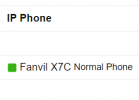
It appears I was able to get my V1 handset despite there being no "router phone" on the network.

1720906331405.png

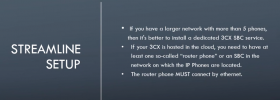
I do have a SBC.
The X7C is connected via ethernet.
My firmware is the suggested on by 3cx.
Unplugging / replug phone power back in ... was tried twice to setup the phone it didn't work.
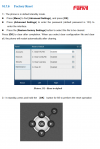
I held the [OK] button on the phone (takes 6 seconds) and the Factory Reset ? prompt came up. I pushed the OK button and then when the phone booted up it was connected to my free 3CX.

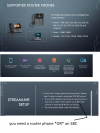
This video goes over not requiring a router phone as your first phone

https://www.youtube.com/watch?v=tu9lvCC_bHk

1720909259883.png

1720909349180.png
 
Last edited:
Doesn't work with V1 of Fanvil phones
 
V1 devices do not have this ability, router phones can be:
  • Router phones: X4U-V2, X5U-V2, X6U-V2, X7-V2, X7C-V2, X210-V2, X210i-V2, V62, V64, V65.
 
The press and hold the [OK] button for 6 SECONDS to perform a factor reset isn't mentioned.

That's correct. It's not mentioned, and we do not generally recommend that method.
We recommend the POST MODE method as per our guide which works before the phone even boots and also does not require a password.

The models you mentioned are already covered by this, including the X4U-V2 too.
 

Members Online Now

No members online now.

Forum statistics

Threads
111,834
Messages
589,287
Members
164,663
Latest member
svdDGS