Solved Fanvil X5U and BLF

Status
Not open for further replies.

ampparks

Forum User
Joined
Feb 25, 2020
Messages
4
Reaction score
0
I am using 3CX 16.0.493 and I have provisioned my Fanvil phones with the 3cx firmware. I am unable to program the DSS buttons for BLF and I have searched all over the internet trying to resolve this. I know this might have been discussed before but using "blf" in search is ignored because the term is not at least 4 char long.
 
  • 3CX Version, Standard Annual 16.0.493
  • Server OS, Debian 9
  • Is the 3CX Server Hosted and where? Yes, Crowncloud
  • IP Phone Make/Model/Firmware Fanvil X5U 1.0.2
  • Provisioning Method: STUN
  • Trunk Provider or Gateway Make/Model 1-Voip
  • Has the Firewall Checker passed: YES
  • Are custom Phone Templates being used: NO

I have tried in the phone's UI
Line > Advanced Settings > Enable BLF List = true
but that hasn't worked, there is no new firmware for the X5U and I am stuck, I have reached out to VoipSupply and they have suggested I do the same steps I have completed, can anyone else offer something to resolve this issue?
 
Hi @ampparks

Why not set the BLFs using the simple way 3CX provides?
https://www.3cx.com/docs/manual/pbx-extension-management/#h.6cmfwhvfhdo0

Just edit your extension, and click the BLF tab. Add your BLFs as you desire, and press OK
Then, reprovision your phone, and 3CX will automatically configure the BLFs for you.

If you are new to 3CX, you can save yourself a lot of time and avoid doing manual work, just by using the features the system provides. Our free 3CX Academy can teach you all the basics and we highly recommend taking advantage of it: https://www.3cx.com/3cxacademy/
 
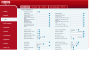
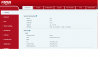
Thanks John, those are the steps I stated there and when they didn't work I started searching the internet and this site for answers. I have tried removing the extension, I have factory reset the phone and still when I press one of the DSSKEYS programmed as BLF, or Speed Dial under the BLF Tab, I only get the phone's DSSKEY screen and not the desired result. I am attaching screen shots of what I have for the 3cx and phone settings.
 

Attachments

  • 3cx ext blf.png
    3cx ext blf.png
    151.1 KB · Views: 53
  • x5u blf info.png
    x5u blf info.png
    57.2 KB · Views: 50
  • x5u info.png
    x5u info.png
    33.5 KB · Views: 48
In this case, I'm wondering if the phone provisions via 3CX at all.

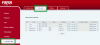
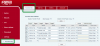
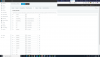
Here is a X5U on FW 1.0.2 as an example, running on 3CX v16U4:
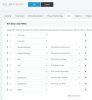
1583501871814.png
1583502826737.png
1583501917899.png
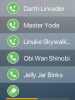
And the corresponding phone screens:
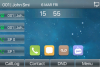
1583503045655.png
1583503066455.png

Everything you see above was provisioned automatically, I didn't even touch the phone UI.

So I'm wondering how you are provisioning your phone, is it even being provisioned correctly by the PBX? You said it is a STUN phone and this type of deployment should be auto provisioned like so
https://www.3cx.com/sip-phones/fanvil-x3-x5/#h.kaj5m6i41no9
After you factory reset reset the phone, it should boot up and ask for a username and password.
After entering those (extension number, and voicemail pin effectively) the phone should pull down all the provisioning settings from your PBX and should come online with all BLFs configured.

If the above is not happening then don't waste your time on the BLFs, ensure that auto provisioning is successful before anything else to save yourself some trouble.
 
Thanks John, I feel kinda stupid now. I was testing and had a X3U on this extension at one time and never changed the phone type, when I deleted the X3U and changed it to X5U it worked like its supposed to. :cool:
It's always the little things that trip you up. I really appreciate your assistance in guiding me in the right direction to resolve this!!!
 
No problem, glad to hear it was resolved!
 
  • Like
Reactions: ampparks
Status
Not open for further replies.

Latest Posts

Forum statistics

Threads
111,939
Messages
589,843
Members
164,824
Latest member
Xeniosg