- Joined
- May 21, 2019
- Messages
- 9
- Reaction score
- 0


Already done it. Integration works with Version 20.0 Update 10 (Build 1277 Alpha - AI 1.6.10). But latest version with same google account is not working.
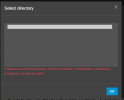
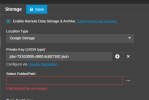
There is no logs because it doesn't allow me to save settings as I attached screenshots.@necdetkt put the PBX in Verbose mode and check the Management Console logs, what error do you see there ?
Also, does this machine have IPv6 enabled ?
Integration works with Version 20.0 Update 10 (Build 1277 Alpha - AI 1.6.10). But latest version with same google account is not working. Google cloud account settings are similar. Tried many ways.Just wondering, did you use the old manual method or the wizard?
new way: https://www.3cx.com/docs/manual/google-workspace/
old way: https://www.3cx.com/docs/google-cloud-storage/
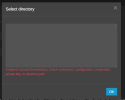
account already has Storage admin right.Okay, update:
I created a new key and uploaded it, i got the error OP posted but after a very short while it kicked back to life and showed my folders.
Just to note, that I get this error when I do not have "storage admin" permission to my service account.
View attachment 52326
Tried to get the logs but it doesn't allow me to save Remote Storage settings that's why there is no log.@necdetkt put the PBX in Verbose, try this scenario and when you see the errors download the Support info
and check the Management Console log.
You will see there the requests and the response back.


Founded in 2005, when VoIP was an emerging technology, 3CX has gone on to establish itself as a global leader in business communications.