- Joined
- Apr 18, 2019
- Messages
- 16
- Reaction score
- 1
I have seen this is a recurrent situation on posts outside this community forum, but haven't been able to find a solution.
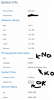
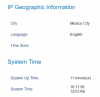
The phone 2160 doesn't show date and time correctly, every morning it shows 19:16:36 12/31/69 on the device and on the status information (webpage). I have tried:
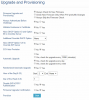
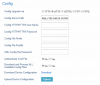
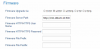
- Phone Webpage: (once changed, every reboot will override what I had changed, and 3cx re-apples the settings every morning)
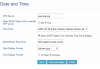
- NO - Allow DHCP Option 42 to override NTP server
- UNCHECK: Allow DHCP Option 2 to Override Time Zone Setting
- Manually Self-Defined Time Zone
- Auto Timezone
- On the Phone:
- Manually change date/time (will work until it reboots or next morning)
NTP server (pool.ntp.org) is accessible from the network where the phone is.
Any other ideas?
The phone 2160 doesn't show date and time correctly, every morning it shows 19:16:36 12/31/69 on the device and on the status information (webpage). I have tried:
- Phone Webpage: (once changed, every reboot will override what I had changed, and 3cx re-apples the settings every morning)
- NO - Allow DHCP Option 42 to override NTP server
- UNCHECK: Allow DHCP Option 2 to Override Time Zone Setting
- Manually Self-Defined Time Zone
- Auto Timezone
- On the Phone:
- Manually change date/time (will work until it reboots or next morning)
NTP server (pool.ntp.org) is accessible from the network where the phone is.
Any other ideas?