- Joined
- Aug 21, 2020
- Messages
- 6
- Reaction score
- 3
Since 2:18 am UTC+1 today, the DNS of our FQDN logicsXXXX.my3cx.de does not resolve to our IPv4 anymore, but to a IPv4 of a different company (not ours).
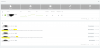
https://customer.3cx.com/prm/myinstances.aspx shows a Public IPv4 139.59.139.234 and Public IPv6 2a03:b0c0:3:d0::68a:6001 which do not belong to us. We do not have an IPv6.
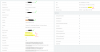
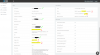
Furthermore I can see this foreign instance has only 1 GB of memory and not 4 GB of memory as our VM has. We host 3CX in a VM in the data center at our company but still use the hosted FQDN of my3cx.de.
edit: Furthermore I've noticed the foreign machine has 20 GB disk, but ours has 60 GB disk space.
I can click restart services, reboot etc. on this foreign instance, and it doesn't affect our local VM.
Our local VM is invisible to the outside world now, because the DNS A and AAAA entries are set wrong within the DNS nameserver of my3cx.de
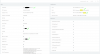
When I change my Windows Hosts file to point 80.81.xxx.yyy to our FQDN XXX.my3cx.de, I see that my network settings is as follows:
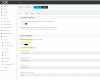
The IPs here are correct (they are ours).
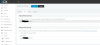
The FQDN shown here are correct (it is ours).
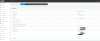
The license information shown at https://logicsXXX.my3cx.de:5001/#/app/settings/license is correct, too. It is the same as shown within https://customer.3cx.com/prm/myinstances.aspx
The issue seems to be similar like https://www.3cx.com/community/threads/fqdn-problems-errors.55210/
Maybe this license key OO4Y-BOM.... has been assigned to two different 3cx instances: ours (80.81.xxxxx) and the foreign 139.59.139.234 ? Or maybe your DNS nameserver my3cx.de has an issue?
At 11:54 am UTC+1, we tried fixing it by setting network settings from static -> dynamic -> reboot VM -> static (see https://www.3cx.com/community/threads/fqdn-to-wrong-ip-after-testing.51632/ ) -> this fixed the DNS issue, but the IPs shown of the 3cx instance here are still wrong https://customer.3cx.com/prm/myinstances.aspx
Please help!
https://customer.3cx.com/prm/myinstances.aspx shows a Public IPv4 139.59.139.234 and Public IPv6 2a03:b0c0:3:d0::68a:6001 which do not belong to us. We do not have an IPv6.
Furthermore I can see this foreign instance has only 1 GB of memory and not 4 GB of memory as our VM has. We host 3CX in a VM in the data center at our company but still use the hosted FQDN of my3cx.de.
edit: Furthermore I've noticed the foreign machine has 20 GB disk, but ours has 60 GB disk space.
I can click restart services, reboot etc. on this foreign instance, and it doesn't affect our local VM.
Our local VM is invisible to the outside world now, because the DNS A and AAAA entries are set wrong within the DNS nameserver of my3cx.de
When I change my Windows Hosts file to point 80.81.xxx.yyy to our FQDN XXX.my3cx.de, I see that my network settings is as follows:
The IPs here are correct (they are ours).
The FQDN shown here are correct (it is ours).
The license information shown at https://logicsXXX.my3cx.de:5001/#/app/settings/license is correct, too. It is the same as shown within https://customer.3cx.com/prm/myinstances.aspx
The issue seems to be similar like https://www.3cx.com/community/threads/fqdn-problems-errors.55210/
Maybe this license key OO4Y-BOM.... has been assigned to two different 3cx instances: ours (80.81.xxxxx) and the foreign 139.59.139.234 ? Or maybe your DNS nameserver my3cx.de has an issue?
At 11:54 am UTC+1, we tried fixing it by setting network settings from static -> dynamic -> reboot VM -> static (see https://www.3cx.com/community/threads/fqdn-to-wrong-ip-after-testing.51632/ ) -> this fixed the DNS issue, but the IPs shown of the 3cx instance here are still wrong https://customer.3cx.com/prm/myinstances.aspx
Please help!
Last edited: