How do add extensions on my cloud pbx

Status
Not open for further replies.

ZIRARI

Joined
Mar 27, 2017
Messages
8
Reaction score
0
Hi i created my account in 3cx PBX express but i dont know how to add my extension to my server can any one please give me an idea to do that ?
 
Have you logged into the 3CX Dashboard?
 
  • Like
Reactions: ZIRARI
Hi,

You should have configured at least one extension while going through the PBX Express Wizard. (Step 6)

In any case, you can manage that extension and/or others via the Management console. You should have received an email containing all the information you need to access it. (URL + Credentials)

Here's a link to the Admin manual which explains how to manage extensions: https://www.3cx.com/docs/manual/pbx-extension-management/
 
  • Like
Reactions: ZIRARI
Thank you for your quick response ;

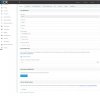
Yes i logged to the dashboard , this is the screenshot of my dashboard and my extension .

is it necessary to have a SIP provider to make a call between two 3cx softphone ??
 

Attachments

  • Cloud acces.jpg
    Cloud acces.jpg
    186.6 KB · Views: 16
Hello @ZIRARI,

If the two softphones are connected to the same PBX then they can call each other directly without having to set up a voice provider.
 
  • Like
Reactions: ZIRARI
Hello @ZIRARI,

If the two softphones are connected to the same PBX then they can call each other directly without having to set up a voice provider.


Thank You YiannisH for your reply ,
But how i can Configure my extension to my Cloud Pbx , i Used my public Ip but my extention won't registred to my server .

did i miss something ?

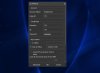
this is the screenshot of my extension
 

Attachments

  • extension 3cx Cloud acces.jpg
    extension 3cx Cloud acces.jpg
    46.4 KB · Views: 12
Please enable the 3CX tunnel when out of office and try again. Also keep the settings included in the welcome email default.
 
Please enable the 3CX tunnel when out of office and try again. Also keep the settings included in the welcome email default.


I used My tunnel but it's still not working
 
What version of 3CX client are you using? From the screenshot you do not appear to be using the latest one.
Please make sure that you are running the latest version of 3CX client and that under your extension settings in the management console the tunnel option is also enabled. Then send a new welcome mail and reprovision the client.

If that does not work please try and provision an IOS or Android client using the same welcome email and try again using 3g/4g and let us know if that works
 
What version of 3CX client are you using? From the screenshot you do not appear to be using the latest one.
Please make sure that you are running the latest version of 3CX client and that under your extension settings in the management console the tunnel option is also enabled. Then send a new welcome mail and reprovision the client.

If that does not work please try and provision an IOS or Android client using the same welcome email and try again using 3g/4g and let us know if that works


Hello YiannisH ,

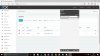
I installed the Last version of 3CX client but i didn't receive even the welcome Email .
 

Attachments

  • Extension 15 prob.jpg
    Extension 15 prob.jpg
    133.2 KB · Views: 2
Did you set up your SMTP settings correctly? Navigate to settings / mail and make sure that information there are correct. Then click the test button and see if you can receive the Test email. If you can't you need to set it up correctly. If the test passes then go to Extensions highlight your extension and press send welcome email
 
Google Cloud will not allow direct email from the 3CX system. Which cloud provider are you using?
 
Did you set up your SMTP settings correctly? Navigate to settings / mail and make sure that information there are correct. Then click the test button and see if you can receive the Test email. If you can't you need to set it up correctly. If the test passes then go to Extensions highlight your extension and press send welcome email


thank you sir for your Help and these detailed information , Now my 3cx client was provisioned with the email and connected to my server correctly .

Now im using just the terial , can i activate it ?
 
Google Cloud will not allow direct email from the 3CX system. Which cloud provider are you using?

Hello AlexDBarrett

i'm using just the terial of Pbx Express , i didn't yet use a provider i test it just in the network
 
thank you sir for your Help and these detailed information , Now my 3cx client was provisioned with the email and connected to my server correctly .

Now im using just the terial , can i activate it ?

That depends what you used to install the system, if you used the 7 days trial then you cannot as this is hosted by us and will expire in 7 days. This is just for testing purposes and should not be used for production systems.
If you used your own account to deploy the PBX then you can upgrade the key to any version you want.
https://www.3cx.com/docs/hosted-pbx-google-cloud/
 
Hi,
I have a similar problem with PBX. I have activated the SIP trunk (provided by OVH) and I try to configure my first extension.
I have the green light on the trunk page but impossible to have it on the extension page. I never received the email.
Thanks for your help.
 
Status
Not open for further replies.

Forum statistics

Threads
111,870
Messages
589,487
Members
164,716
Latest member
jvon@essentialnetworktech