Hello @ZIRARI,
If the two softphones are connected to the same PBX then they can call each other directly without having to set up a voice provider.
Please enable the 3CX tunnel when out of office and try again. Also keep the settings included in the welcome email default.
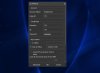
What version of 3CX client are you using? From the screenshot you do not appear to be using the latest one.
Please make sure that you are running the latest version of 3CX client and that under your extension settings in the management console the tunnel option is also enabled. Then send a new welcome mail and reprovision the client.
If that does not work please try and provision an IOS or Android client using the same welcome email and try again using 3g/4g and let us know if that works
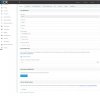
Did you set up your SMTP settings correctly? Navigate to settings / mail and make sure that information there are correct. Then click the test button and see if you can receive the Test email. If you can't you need to set it up correctly. If the test passes then go to Extensions highlight your extension and press send welcome email
Google Cloud will not allow direct email from the 3CX system. Which cloud provider are you using?
thank you sir for your Help and these detailed information , Now my 3cx client was provisioned with the email and connected to my server correctly .
Now im using just the terial , can i activate it ?
Founded in 2005, when VoIP was an emerging technology, 3CX has gone on to establish itself as a global leader in business communications.