How to block transfers to paging extension

Status
Not open for further replies.

JK-KPT

Bronze Partner
Joined
Jul 25, 2018
Messages
18
Reaction score
1
Please help. My client is very upset that an irate customer was put on hold locally(not parked) and then transferred to the overhead paging adapter extension when the operator tried paging the corresponding manager to discuss the call first. The customer was heard until my client was able to mute the PA system and the customer eventually hung up. I was able to replicate the same behavior with the client after the fact and confirmed that hitting the hold button on the Yealink T46S and then pressing the key configured as a custom speed dial for the extension of the Algo paging adapter, initiated a blind transfer that could not be brought back. Therefore, is there a way in version 18 to block transfers to specific extensions? Perhaps a parameter like IVR_Direct_Dialing_Grammar that I have configured to prevent such situations from happening through the IVR. Furthermore, attended transfers are not an acceptable workaround for this client, and selecting "Disable External Calls" in the extension options for the paging adapter had no effect either. I have scoured the forums and tried everything I can find, but this appears to be an ongoing issue. Does 3CX or anyone here have a solution?
 
  • Like
Reactions: Jeremy Bero
Hi @JK-KPT,

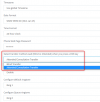
If you're using using Custom Speed Dialing on the Yealink, you can change the blind transfer option to an attended transfer within the Extension >> Phone Provisioning section:

1645518076671.png

This will allow your user to speak to the Manager first and have the option to join them to the client or return to speaking to the client.
 
If att transfer isnt a solution then I suggest you provision SP1 and SP2 on BLFs and use those instead of holding locally if the customer wants to speed dial without the risk of this happening again.
 
  • Like
Reactions: VasilisV_3CX
Thanks VasilisV and kieferschild for your replies. Perhaps a little more info would be beneficial. This is a high volume retail store with Yealink T46S's scattered throughout at different stations and departments. The manager does not have an assigned desk phone or extension since they can be anywhere in the store. Hence the need for the associate/operator to use the overhead paging system to request the manager to call the operator's extension to discuss the call beforehand or even pickup the call on SP1 or SP2. Granted, SP1 and SP2 are already configured BLFs on the Yealinks and the typical workflow used at this location. However, the case remains that accidents happen as well as sometimes operators may choose to press hold on the phone for an exclusive hold, rather than SP1 or SP2, especially if they don't want anyone else to accidentally pickup SP1 or SP2 in the meantime.

As for the attended transfer suggestion, every phone in the organization would have to be set to Attended Transfer thereby severely impacting the speed of transfers, and operations in general, in hopes that it would prevent transfers to one extension: the paging adapter. Furthermore, doesn't the transfer method pertain to how the extension "sends" transfers, and not what kind of transfers it can receive? If an extension could be set to only "receive" attended transfers then perhaps the paging adapter extension could be set to "receive attended transfers only" and thereby remove the requirement for attended transfers on all extensions. But, to my knowledge, that option doesn't exist today, nor does the transfer method option under the paging adapter extension since there is no need for a paging adapter to transfer calls, right?

Therefore, is there another way to block transfers to a specific extension in 3CX? If not, can 3CX please add it? They must understand the need for it because they have a parameter that prevents the same situation from happening through the IVR. This is just loophole that needs to be closed.
 
Maybe you could firewall your PA extension by sticking an IVR in front of it?

DTMF IVR with a prompt that says something like "to use the PA please enter PIN" then it transfers to PA?
 
Thanks for the context @JK-KPT!

I personally like @kieferschild's suggestion. It means that no slow down happens with the attended transfer.

I did this by creating a new PA extension - say 400. I created a DTMF IVR for this extension - 405. I then used an Exception to forward all calls (*) to 405. 405 is configured to have a 'pin' code 4040 for example. I added an option for customers to get out of the IVR just in case of an accident using their own code and forwarded that back to the main number. This way I've got a PIN between my customers and the PA system, and my users don't need to know the new PA extension number 400, they don't have to change practice, only enter a code.
 
Thanks for the suggestion guys. It's not a bad workaround, and fortunately the Algo paging adapter already has a PIN capability, but it's not the preferred or ideal solution, given that it doesn't address the exclusive hold desired so others don't accidentally pickup the call in the meantime. So, is there a way without using attended transfer, to put the caller on local/exclusive hold and then page a manager using a custom speed dial BLF for the paging adapter? Is there a reason why 3CX does not, or cannot, have a parameter for blocking transfers to specific extensions similar to the IVR_Direct_Dialing_Grammar parameter? Based on what I read in the forums (going back several years), there are many besides me that would welcome such a feature.
 
Ok I've been able to replicate your issue.

as mentioned in post 2, you need to change the DSS key from blind transfer to attended.

1645777277202.png
When you do this, you press the hold button and then a DSS key and the call will stay on hold.

when it's blind transfer, it will send the call straight through.
 
Hi @JK-KPT,

So, is there a way without using attended transfer, to put the caller on local/exclusive hold and then page a manager using a custom speed dial BLF for the paging adapter?
Transfer them to SP0-250 (Shared Parking 0-250 slots, as configured by your Call Parking setting in the Settings). So put the caller on hold, transfer to SP1 from the Yealinks using BLFs. Then call the manager and once done, pick up the SP call using the BLF key again.
 
Ok I've been able to replicate your issue.

as mentioned in post 2, you need to change the DSS key from blind transfer to attended.

View attachment 28189
When you do this, you press the hold button and then a DSS key and the call will stay on hold.

when it's blind transfer, it will send the call straight through.
Thanks kieferschild for the confirmation. Unfortunately, the attended transfer method is not viable for the reasons listed in my second post. Do you now why 3CX couldn't have a parameter like IVR_Direct_Dialing_Grammar to block transfers to specific extensions?
 
Hi @JK-KPT,


Transfer them to SP0-250 (Shared Parking 0-250 slots, as configured by your Call Parking setting in the Settings). So put the caller on hold, transfer to SP1 from the Yealinks using BLFs. Then call the manager and once done, pick up the SP call using the BLF key again.
Hi Vasilis,
This is the current method used for most of the transfers within the organization today. However, it does not address the instances when whether by accident or on purpose the operator needs to place the call on a private/local/Exclusive Hold so no one else can pickup the call in the meantime. So let me ask again, is there a reason why 3CX can't create a parameter like IVR_Direct_Dialing_Grammar to block transfers to specific extensions?
Thanks.
 
Hi @JK-KPT,

I'm afraid I can't think of any other way for this to be done, other than perhaps retraining of staff. I'll leave this thread open in case any other users have managed to find a way to do this.
 
The only slowness of the attended transfer option IMO is the admin to configure the ext to att transfer.

The process is pretty much the same..

attended transfer / PA back to customer
- Press hold
- Press DSS key (initiate 2nd call)
- End 2nd call
- Press Resume


Performing blind transfer using att transfer
-
Press DSS key
- Put the phone down
 
Hi Vasilis,
This is the current method used for most of the transfers within the organization today. However, it does not address the instances when whether by accident or on purpose the operator needs to place the call on a private/local/Exclusive Hold so no one else can pickup the call in the meantime. So let me ask again, is there a reason why 3CX can't create a parameter like IVR_Direct_Dialing_Grammar to block transfers to specific extensions?
Thanks.
Hi Vasilis,
I would like to revise my question to: "Is there a reason why 3CX can't create a parameter like IVR_Direct_Dialing_Grammar to block transfers from external calls to specific extensions? Obviously, blocking all transfers to the paging adapter would render it useless.
Thanks
 
Hi @JK-KPT,

There isn't a reason why it can't be done, no. There may be a reason why it isn't implemented currently but I'm not privy to that information. If you'd like to suggest a feature, it would need to follow the standard feature request procedure, which allows Gold partners or above to post a feature request in the Ideas section.
 
I thank you both for your time and responses. I guess I will have to wait to hear from a Gold partner on how they deal with the situation, and perhaps see if they would post a feature request for me.
 
I thank you both for your time and responses. I guess I will have to wait to hear from a Gold partner on how they deal with the situation, and perhaps see if they would post a feature request for me.
Did you/can you try my suggestion?
 
Hi kieferschild,

I tried your suggestion and changed the transfer method on an extension to attended transfer and then ran several tests with onsite staff.

Test 1 - attended transfer / PA back to customer
- Press local hold key
- Press DSS key (initiate 2nd call to PA)
- End 2nd call (via a hang up / on hook)
- Result: Call was immediately transferred to PA like blind transfer method

Test 2 - attended transfer / PA back to customer
- Press local hold key
- Press DSS key (initiate 2nd call to PA)
- End 2nd call (via pressing the "Cancel" soft key)
- Result: Call was resumed and NOT transferred to PA

Test 3 - attended transfer / PA back to customer
- Press local hold key
- Press DSS key (initiate 2nd call to PA)
- End 2nd call (via pressing the "End Call" soft key)
- Result: Call was resumed and NOT transferred to PA

Therefore, I would conclude that attended transfer does add some protection, but it totally depends on whether the user, or staff, remember to use the soft keys rather than just "hang up" in a panic. Though my client would like the guarantee that no external callers could be transferred to the Paging system, I guess the best solution we have now is attended transfer with a PIN protected paging server. Which begs the question, "How often am I going to get calls to change the PIN in the paging adapter because an employee is terminated or leaves?" Not to mention, the time required to inform and retrain the staff every time the PIN changes. Even still using a PIN may not be a guarantee either because if the staff places the call on hold, calls the PA, enters the PIN, pages the manager, and then forgets to press the "End Call" soft key and hangs up instead, the caller is still transferred to the PA. The question then becomes whether the paging adapter will re-prompt the transferred caller for the PIN. I really wish 3CX would consider a way to block transferring external calls to specific extensions, or an "Allow only Internal Calls" option. Perhaps I can use a dummy extension and forwarding rules to accomplish this?

Thanks for your assistance.
 
I’m thinking about using “supports reinvites” and playing with exceptions under forwarding rules to block any number that isn’t xxx long but I can’t test right now
 
Status
Not open for further replies.

Forum statistics

Threads
112,349
Messages
592,027
Members
165,512
Latest member
gmacinit