How to configure a polycom conference phone IP 7000

Status
Not open for further replies.

Song

Bronze Partner
Basic Certified
Joined
Nov 12, 2018
Messages
379
Reaction score
24
Hi, I was doing some reserach and came on this link
https://www.3cx.com/sip-phones/polycom-soundstation-5000-6000-7000/

Is this still the same setup? if so i have a quesiton. it say please 2. please download the polycom 4.0.10 support files and put it in
C:\ProgramData\3CX\Instance1\Data\Http\Interface\provisioning\XXXXXX
Since i'm running debian it should be in a differnet folder corret?

Also the download file is no longer active..
http://downloads.3cx.com/downloads/misc/legacy-phones/polycom-410.zip
 
The instructions are the same. The path is different but the folder is the same.

And that link works just fine for me to download.
 
do you know where i can download this version? i saw it in a previous post that will resolve some error.
4.0.11
 
This version of what? If you are talking about firmware, the link you posted works fine.
 
This version of what? If you are talking about firmware, the link you posted works fine.
Sorry. the one posted was for version 4.0.10. I wanted to try out 4.0.11.
 
4.0.11 is not supported. I suggest sticking with 4.0.10 .

But if you really want newer Polycom then the Polycom site would be where to go.
 
thank you so much!! i'll stay with 4.0.10 and see how it goes.
 
Ok. My polycom is not registering or not provisioning. Here is what I have done so far.
1. I have download this file Polycom 4.0.10 support file and uploaded it to my 3cx path
/var/lib/3cxpbx/Instance1/Data/Http/Interface/provisioning/pn9597vm0h/polycom-410.zip
2. I have reset my polycom IP 7000 to factory default.
3. I login to my 3cx and add phone and choose polycom SSIP7000 (firmware 4).
4. I copy the provisioning link and add it to my Polycom and save and reboot the polycom.

Am I doing something wrong? or is there anything else i''m missing? I'm used to after I add in the provision link into the phone there is a place where i can hit provision now. But with this polycom I do not see it. All I did was reboot it hoping after it reboot it'll grab the provision from 3cx.

Please advise if i'm missing anything?

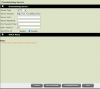
Attached is the configuration of the filepath i uploaded it to and the provision of polycom phone.
 

Attachments

  • provision.png
    provision.png
    50.4 KB · Views: 22
  • filepath.png
    filepath.png
    50.4 KB · Views: 20
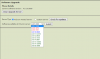
i notice i was on a older version so i upgraded it to 10.0.40 is that correct? or should i update to the lastest version? Anyone upgrading to 10.0.40 didn't make any differnence. Still it is not provisioning. Is there a way to set this up manully? please advise. i'm pulling my hear out..
 

Attachments

  • upgrade server.png
    upgrade server.png
    50.8 KB · Views: 14
1607737584759.png

You don't upload the ZIP file.
 
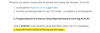
ok. i unzipped everything in the polycom-410.zip into this folder and this is what it look like now. ok unzip everything to that folder and now its picking it up... thank you!!!

thanks
 

Attachments

  • unzip.png
    unzip.png
    88.4 KB · Views: 20
Last edited:
I'm geting file system error no free space.. Someone on this forum say i need update to 4.0.11 to fix this? anyone know of a way to fix this?
 
i was able to track down the 4.0.11 do i just unzip it to the 3cx provision directory like I did before and just reboot the phone and it should auto pick up the new version? or do i have reset the polycom and add in the provision link again?
 
Status
Not open for further replies.

Latest Posts

Forum statistics

Threads
111,990
Messages
590,161
Members
164,925
Latest member
batarong