- Joined
- Dec 20, 2016
- Messages
- 19
- Reaction score
- 1
So I am working on a fairly simple 3CX install. They have two DIDs that basically hit two different Ring Groups then defaults to a voicemail. Fairly simple.
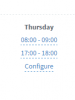
However, They would like between the hours of 8-9am for one DID to go to the second ring group and then fall back to the VM. From 9am-5pm both inbound rules flow normal, and from 5pm-6pm the other DID to go to the first ring group and then back to the 2nd VM. Again fairly straight forward on how to setup that using two sets of ring groups with different "if on answers rules." You can see the call flow here.
What is getting me is how to setup the timing. Since we can only set "In Office Hours" and "Out of Office Hours" So I am looking around in 3CX and I see three different places that I can set "Hours" in v15sp5
a.) Sip Trunk
b.) Inbound Rules
c.) Settings > Timezone & Office Hours Settings
So I am wondering is what is the hierarchy on the settings. If I set all three which one takes the priority? I do plan to do some testing on my demo server. But I figured I'd asked just incase. I couldn't find any documentation that went into details about this.
However, They would like between the hours of 8-9am for one DID to go to the second ring group and then fall back to the VM. From 9am-5pm both inbound rules flow normal, and from 5pm-6pm the other DID to go to the first ring group and then back to the 2nd VM. Again fairly straight forward on how to setup that using two sets of ring groups with different "if on answers rules." You can see the call flow here.
What is getting me is how to setup the timing. Since we can only set "In Office Hours" and "Out of Office Hours" So I am looking around in 3CX and I see three different places that I can set "Hours" in v15sp5
a.) Sip Trunk
b.) Inbound Rules
c.) Settings > Timezone & Office Hours Settings
So I am wondering is what is the hierarchy on the settings. If I set all three which one takes the priority? I do plan to do some testing on my demo server. But I figured I'd asked just incase. I couldn't find any documentation that went into details about this.